

 Add Comment
|
Add Comment
|
 Related Links
|
Related Links
|
 TrackBack
 Related Content
Can't get rid of "turn the power off and on again"
i have a p41 and on the screen appear "turn the power off and on again" so i turn it off and back on again but the sign is still there. i turn it off and on again and again but it is still there. i cant take new picture but i can review old one. so what is really wrong with it??? please help
Bonita
Thu, 28 Jun 2007 02:23:26 -0700
Your lens is jammed up or needs to be adjusted. Depending on the model we can usually fix it without any parts. Dont know if I can post my website so feel free to email me.
Thomas D
Mon, 16 Jul 2007 12:03:55 -0500
tap your camera on tha table twice. i had the same problem. i was pissed to go pay for repair. somehow this works! i was stoked!
maitha
Sat, 21 Jul 2007 19:58:08 +0000
Hello Guys!! Maitha, you are amaizing!! I had the same problem, I was traveling on vocation , and the machine sunddely stoped working with the same symtoms. I had to buy a new one, as I was out of conditions to go deph in the problem. (Fortunately I bought a analog one)
When I was seaching the web about the problem, I was already hopeless, because the waranty was over , and I would probably pay a lot of money to fix it. Almost not beliving, I did what Maitha told to do, and it WORKED!! but not in the table, but just tap with my hands.
Thank you VERY much!! unbelivalbe!!!!
yahooo!!!!!!!!!!!
Erico Barcellos
Fri, 27 Jul 2007 19:25:53 +0000
I have a sony DSC-W70 and I keep getting an error thats says "turn the power off and on again. The lens seems to be jammed because it opens and then closes like 3 times everytime I turned on. Please help!
Gina
Mon, 30 Jul 2007 23:35:37 +0000
tap your camera on tha table twice. i had the same problem. i was pissed to go pay for repair. somehow this works! i was stoked! Maitha Sat, 21 Jul 2007 19:58:08
Hello Guys!! Maitha, you are amaizing!! I had the same problem, I was traveling on vocation , and the machine sunddely stoped working with the same symtoms. I had to buy a new one, as I was out of conditions to go deph in the problem. (Fortunately I bought a analog one)
When I was seaching the web about the problem, I was already hopeless, because the waranty was over , and I would probably pay a lot of money to fix it. Almost not beliving, I did what Maitha told to do, and it WORKED!! but not in the table, but just tap with my hands.
Thank you VERY much!! unbelivalbe!!!! yahooo!!!!!!!!!!!
Erico Barcellos Fri, 27 Jul 2007 19:25:53 +0000
YES !!! YES !!! YES !!!
It also has just worked for me too ! MAITHA YOU ARE THE ONE.
BTW, I think the fault could be caused by switching on and off too quickly, so, slow down there.
ernie
ernie
Tue, 31 Jul 2007 15:45:04 +0000
Thank you! Now it works perfectly!
(But only if I read this last night...before I spend $450 to buy a new camera!)
Steve
Wed, 01 Aug 2007 05:31:41 +0000
Hello Everyone...I have also had this same problem after my wife dropped our camera. I was also afraid that I'd have to pay an arm/leg to get it repaired. Somehow I came across this link and saw that everyone was thanking Ms. Maitha and now I'm a confirmed witness. After two gentle taps on my desktop, my camera is working fine now. You rock ma!
Thanks
AP
Dallas,Tx
Aaron
Sun, 19 Aug 2007 19:10:07 +0000
I was just about to send my DSC-W50 for warranty repairs (Access - Turn the power off and back on again)... Did a light whack on the camera a few times with the palm of my hand and it worked. Unbelievable. Thanks.
JD
Sun, 19 Aug 2007 20:30:32 +0000
Ha, ha ! I thought this was a joke at first, to be honest. It worked after my 6th tap. U kick a$$. Many thanks dude.
P�l Mag Ruairc
Sun, 02 Sep 2007 11:27:58 +0000
Thanks Maitha, I fooled with this thing 2 hours last nite and did every thing suggested from the other tech sites and manuals. I had all but given up but gave a last ditch effort with DOGPILE and this site popped up. This worked just as everybody else has stated. It took more like 6 taps, I started out very easy with the first 2, then just a little harder, then just a little harder and it worked. I thank you and my daughter thanks you.
Chels dad
Mon, 03 Sep 2007 17:48:41 +0000
YES, THIS WORKS, IT'S AMAZING.
THANK YOU
I brought my camera from Hongkong, the same problem happened to me.
I followed what Maitha said. It worked. but I went hard when I tap it.
So Go hard on the camera, if this way did not work.
JJ
Wed, 12 Sep 2007 05:52:55 +0000
AMAZING !! MATHIA IS THE QUEEN OF CYBERSHOT WHACKING, it worked for me too. yeepee
rafael
Sat, 15 Sep 2007 05:26:02 +0000
WORKED FOR ME TOO! NOW IF I COULD SLAP SOMBODY FROM SONY FOR HAVING THIS BE AN ISSUE IN THE FIRST PLACE
SONY B*TCH SLAPPER
Sat, 15 Sep 2007 20:18:25 +0000
Sorry it did not work for me. Do you tap it while it is on or off? I have practically beat it, still won't work.
JR
Tue, 18 Sep 2007 19:54:46 +0000
hey !!i have the same problem.I just got my cam yesterday.Is it because i started using the camera without even charging the batttery?But the battery had charge.
sheena
Thu, 20 Sep 2007 14:10:18 +0000
Wow i cant believe this worked for my camera...I beat it off my table and i heard some noises inside my w70. i did it while it was on.
Jarod
Sun, 23 Sep 2007 16:05:31 +0000
This isn't working for me. I have a Super steady shot dsc-h2 and no amount of whacking or palm striking is working. Could anyone give a few more details about where to whack, how hard, how quickly and if the camera is on or off during the whacking.
knytfyre
Wed, 26 Sep 2007 14:53:14 +0000
I am totally flabbergasted....but it worked!Thanks, Mathia! My Yearbook class thanks you, too!
LesaC
Thu, 27 Sep 2007 20:39:05 +0000
Maitha!!! You rock!!! tapping it worked!!!
Sarah
Thu, 11 Oct 2007 03:01:24 +0000
I had the same problem with my ciber-shot dsc-w35. hitting a few times worked for me too! I have only had the camera a few months, so if it happens again, I think I will swap it for a new one (or a different make altogether!)
Claire
Sat, 10 Nov 2007 10:32:23 +0000
It Worked on a P-10 too!!! THANK YOU!!!!!!!!!!!!!!!!!!!!!1
Jeanne
Sat, 10 Nov 2007 23:11:57 +0000
I have the DSC-T3 5.1 meg camera and i have tried everything hitting and tapping it like everyone else but with no luck anyone know anything else that i could try to fix it?
chase
Fri, 23 Nov 2007 11:34:53 +0000
wow...it worked
thanks alot!
justin
Thu, 06 Dec 2007 23:40:39 +0000
I got mine to work!
Look at your lens cap, is it bent out of shape? If so, hold it against a counter or table and push to loosen it. It SHOULD pop back in place.
Easy solution, THANK YOU THANK YOU THANK YOU!!!
Crystal
Mon, 07 Jan 2008 02:45:34 +0000
Thank you - hit it with my hand a few times and then the lens came all the way out and now is fine.
D Rice
Sun, 13 Jan 2008 00:44:35 +0000
Worked for me too! Well more like 3 or 4 not exactly gentle taps in my hand! I figure, hey if I break it, either way I would've needed a new camera. Thanks Maitha
Cheryl
Mon, 31 Mar 2008 15:54:46 +0000
Hi,
I gave it some taps and it started to work again, I took a couple of pictures and when I shut it off and started it again, it gave me that same ANNOYING message! Well, now after a few harder hits, it still won't work to take photos - only to view old ones.
It was worth a try!
Michelle
Thu, 01 May 2008 12:15:12 +0000
this really works!
it make take a couple taps before you get it,
i got mad because it wasn't working and hit it hard,
then it worked!
thankyou!
fish
Wed, 04 Jun 2008 22:22:06 +0000
I tried waking it before reading the advice and it didn't work. So I took it apart and pushed the inerds around and put it back together still didn't work. I wacked it a bunch more times after reading the advice no go. Then I decided what the heck lets give it a good wack. I dented the peice of wood with the camera and sure enough it worked. Being an Electrical Engineer who took advanced work in optics I am sure this part was built by an ME.
gene the machine
Mon, 09 Jun 2008 23:11:36 +0000
I had to hit the bottom of the camera on my knee for a while (when the camera was on), but hitting it worked nonetheless.
Don't be afraid to use a little force, after all, if you have this problem, the camera is junk anyway.
happydude
Sun, 15 Jun 2008 22:16:59 +0000
Yeah, totally amazing... it worked fine for me too ^^
my camera works perfectly now... i just tapped several times on my hand, and it worked as usual
James J.
Thu, 03 Jul 2008 23:56:10 +0000
You should somehow make yourselves easier to find on the web as I searched for hours looking for a cure with no luck.
I tapped the base several times on a carpeted floor with no joy but then turned it upside down and tapped it once and HEY PRESTO, all works just fine !!!!
MAny thanks !!
Andrew Velvin
Mon, 04 Aug 2008 13:24:19 +0000
YESSSS WORKED FOR ME !!! banging it on the kitchen floor while the lens was opening worked thank you ..... btw tapping didnt work smashing it did :)
lumix dmc fx8 lives another day
ben suess
Sun, 10 Aug 2008 00:12:46 +0000
As ben suess explains: if it does not work with a few gentle taps, just increase the "tapping" force, up to "smashing" force if needed! Try with it ON, and OFF, lens extended and retracted, smash the top and then the bottom, one side and then the other.
My sister's DSC-W70 had been giving the "Turn the power off and on again" error for a while, and she asked me to look at it (it was forgotten in a closet). At first, before reading this post, I tried pulling gently on the lens, a few gentle taps on the bottom, removing the battery when the lens was fully extended, etc. etc. etc. to no avail. Then I got to this forum and read how folks tried and tried until a good whack took care of the issue... so I thought "What the heck! It is on its way to the trash can anyways!", and then I REALLY smashed it on every possible side and angle ON THE FLOOR (and I mean SMASHED IT!), until it finally started working. HILARIOUS!!!
I did it while the camera was ON, going through the 3 extend/retract cycles and the "Access" message was on the LCD screen. Somewhere between the 2nd or 3rd cycle I saw the image on the screen and I immediately stopped. I did try to whack it against the floor as flat as possible (bottom, top, sides, flat edges, etc.) so as not to cause too much damage. :-)
Of course: hit it hard only if a few gentle taps don't work. Also, try different angles/sides. And, if after a few of the gentle (or less gentle) taps do not work, go ahead and smash it hard BUT be careful not to break the darn thing! There is a limit to the abuse that these little gadgets can take. They can take a lot, but they will break at a certain point, so don't over do it. GOOD LUCK!!!
guaira
Wed, 12 Nov 2008 03:40:04 +0000
maitha...LOL :D
I just can't believe this. I tapped two times and it WORKED. Wow buddy...you rock man.
S
Sibu V
Sat, 13 Dec 2008 22:32:31 +0000
actually, the tapping turns the lens. when it comes out..grab it before it goes in and turn it.
jo
Thu, 18 Dec 2008 21:02:36 +0000
My camera started doing the same thing a few days ago and I was worried I would have to buy a new one until I saw this tip and tried it and it worked!!! :)
Meg
Wed, 24 Dec 2008 20:22:07 +0000
Waooooo Amazing had the same problem my son dropped it of the camera after a tap it a few time works like a charmmm SWEETTTTT i was thinking get another one.
DerbyD
Sat, 03 Jan 2009 19:08:48 +0000
unbelievable my cam was also having the same problem.....i followed wat u ppl have done ............GOD it worked for mee too....thnx friends....i just dont know how to thank you....thanx maitha and thanx to all the other fellows who psted their comment.....i jus dont know hw it worked ......thnx thnx thnx thnx thnx thnx thnx thnx thnx thnx thnx thnx thnx
Rahul Dasgupta
Sat, 28 Feb 2009 20:16:22 +0000
I GOT TIRED OF HITTING IT SOFTLY ON THE SIDE ON THE BACK WHILE IT WAS ON AND OFF ,ON THE TABLE,ON THE COUNTER TOP WITH A DISH TOWEL UNDER IT TO MINIMISE ANY DAMAGE ,THAT DID NOT WORK . I FINALLY GOT IT TO WORK , I LEFT THE CAMERA ON AFTER THE THIRD TIME THE LENS CAME OUT AND STOPPED I GRABBED THE LENS AND TRIED TO TURN IT LEFT AND RIGHT, IT BARELY TURNED ,I TRIED PUSHING IT IN AND OUT , DIDN'T MOVE MUCH, THEN FINALLY WHEN THE CAMERA SHUTS DOWN ON ITS OWN AS THE LENS RETRACTED I HELD THE LENS, AT THIS POINT , THE LENS HASN'T RETRATED ALL THE WAY IN, SO I PULLED THE LENS IN AND OUT A FEW TIMES , JUST ENOUGH TO SEE THE SHUTTER OPENING AND CLOSING. I DID THIS FOR ABOUT A MINUTE THEN TURNED THE CAMERA BACK ON , STILL HAD THE ACCESS MESSAGE AND THE LENS WAS MOVING IN AND OUT THAT'S WHEN I HIT THE CAMERA ON THE BOTTOM ON THE TABLE WITH A DISH TOWEL ON THE TABLE FARELY HARD AND ON THE THIRD HIT SINCE THE CAMERA WAS ON I COULD SEE THE IMAGE OF THE ROOM ON THE SCREEN. IT WAS UNBELIEVABLE IT REALY WORKS. I THINK (SIBU V) IS CORRECT IT HAS SOMETHING TO DO WITH LENS BEEING OUT OF ALIGNMENT. THANKS (SIBU V).
ED
Wed, 04 Mar 2009 15:37:19 +0000
after reading comments on the internet and finding nothing was working (dropping it, hitting it, tapping, blowing into the lens.. etc) i looked at the lens going in and out and noticed that when it came out it dropped down. so when i opened it again i put the edge of the knife in the lens to level and turned the power on ... the lens was then level and i was then able to take pictures.
ms
Fri, 13 Mar 2009 09:04:49 +0000
at first it would try to retract 3 times and then give me the message..after dropping it a couple of times..the lens now refuses to come out in the first place..and still gives me the message!
any help?
Sara
Sat, 14 Mar 2009 00:30:56 +0000
Sure enough, I gave my TZ1 two firm wacks on the my counter top after trying all the gentle suggestions and it works like new! Thank you so much.
richard
Mon, 30 Mar 2009 23:02:33 +0000
i smashed it threw it did everything but it still wont work!!!!
rdy
Fri, 10 Apr 2009 20:09:09 +0000
hey thanks i give a couple of whack!!! i still wont work
when i push the lens inward it had a click sound and it fixed! thanks you very much
joel
Sun, 12 Apr 2009 07:06:57 +0000
Incredible! It worked for me! Thanks a lot!!!!
Joel
Sun, 10 May 2009 15:19:46 +0000
OMGOSH I STARTED TO GIVE UP AFTER LITERALLY HITTING IT HARD SO MUCH TIMES.
BUT THEN I FINALLY HIT IT FOR A GOOD 5 MIN. STRAIGHT VERY HARD AND IT WORKED!!!
THANKS SO MUCH MAITHA AND EVERYONE ELSE IM SO HAPPY I DIDNT HAVE TO BUY A NEW CAMERA!!!!!!!!
Ashlynne
Thu, 14 May 2009 21:11:32 +0000
Thank you Maitha and everyone else it works for me too! I am so lucky to find this page....yeeeeeeeeeeeeeeeeeeeeeeee! It works!
Tomi
Sun, 24 May 2009 21:17:43 +0000
Wow Maitha ur Amazing. I dont no how this idea struck ur mind...... hurraaaaaaayyyyyyy. When the power is switched i had to apply all force against my other palm and after solid 2-3mins hitting, caution that is ur camera, it finally worked... and now i cant clicking
Thanks to all u guys... u guys r really great...
MAITHA thanks allot
SashK
Mon, 29 Jun 2009 13:38:29 +0000
I was just getting ready to throw my camera against the wall, found this gave it a couple of good taps on the back and TAAAA DAAAA. Works like new. Thank you.
MYC
Wed, 01 Jul 2009 15:25:43 +0000
Ah yah... it actually worked! When all else fails a good neanderthal wacking is all any problem really needs:)
RENEE
Wed, 08 Jul 2009 22:48:53 +0000
My camera had the same problem! I tapped it horizontal on the table like twice, and the lens just popped out! Amazing! its fixed! Thanks very much!!!
Lilian
Sun, 19 Jul 2009 10:27:20 +0000
i tryed to give it a neanderthal hit but that didnt work then i sat there tapping it then nothing worked and after all that work i decided to give it a hyduken! DO NOT GIVE YOUR CAMREA MORTAL COMBAT MOVES WITH A SPADE!
Attached Image: 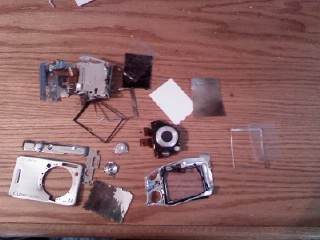
0803091406[1].jpg
hi duken
Mon, 03 Aug 2009 19:11:45 +0000
great worked for me to. Wish sony would of told me to do this.
karen
Sun, 06 Sep 2009 20:00:20 +0000
Hey! thanks i tried banging mine with my hand, but didnt work then i hit it with my knee and it worked thanks heaps guys!!!!!
Sophie
Mon, 05 Oct 2009 23:19:03 +0000
Worked for us, but it only responded to a female tap -- fairly firm whack on a granite couter top -- how bizarre
Louie
Fri, 27 Nov 2009 16:10:52 +0000
I was so stressed out about my camera (paid 250 for it) when the message "turn power on/off" came on and refused to go away! I came across this forum randomly and WOW I cannot believe that hitting it against a tabletop worked!!!! MAITHA, you are my saviour!!! Thank-you so much. BTW, I tried hitting the camera when it was on and off but it worked when the camera was off.
Vinh Le
Sat, 28 Nov 2009 05:30:32 +0000
really this technique works for me too...i tried while the camera was on and popping in and out......thanx to all who originally posted this technique.....
Tariq
Sat, 05 Dec 2009 02:02:12 +0000
this didnt work at first for me. but after i pushed in the lense in my hand a few times right after i turned it on, and then banged it twice it worked!
thanks so much =)
melissa
Thu, 18 Mar 2010 00:52:01 +0000
Worked for me too!! Some taps and it works again... Thanks
Mase
Tue, 23 Mar 2010 00:32:08 +0000
IT works with my Cybershot DSC-W35!!Thanks a lot
giancarlo
Sat, 17 Apr 2010 16:20:45 +0000
I am so happy and amazed that this actually worked!!!!!!!!!!!!!! HOW AWESOME!!!
camera wacker
Sun, 18 Apr 2010 05:04:03 +0000
hello i have sony cyber-shot DSC-S2000!
and i hava a same problem it says "turn the power off and on again" and the lens is jammed out and wont get in!
I tried to tap it on the desk but it wont work!! can sombody help pleas!!!!
Tyson
Sat, 01 May 2010 09:14:35 +0000
and does guarantee cover this ?
Tyson
Sun, 02 May 2010 09:45:00 +0000
It works, Thank you very very much ... hmmm I owe you a camera !!
Hassan
Fri, 14 May 2010 04:55:09 +0000
i didn't work the first time when i hit it against my hand; nor the second time when i hit it on a piece of wood, but the third time (with the camera open)i hit harder against the floor tile and it worked.. it almost ruined my vacation. thanks a lot
alex leutz
Tue, 18 May 2010 11:41:06 +0000
I threw mind on the floor after trying to hit it a few times and it worked!!!!!!!! Yay thank you so much MAITHA!!!!!!! BTW I threw it on the floor when it was shut off!
Katie
Tue, 01 Jun 2010 06:01:41 +0000
I have the DSC-W180 10.1 meg camera and i have tried everything hitting and tapping it like everyone else but with no luck. Anyone know anything else how i could try to fix it? Thank you.
anonymous
Wed, 14 Jul 2010 16:09:35 +0000
I have a sony cybershot DSC-S980 12.1 mega pixels camera and i turn on the power button and it says turn the power off and on again so i do that and it says the same thing. And i already tried tapping it but it is still not working. Somebody please help me!!!!!!!!!!
Mileena Reels
Fri, 16 Jul 2010 17:15:49 +0000
Maitha, I believe, and I had the same problem. I thought it was a joke. I hit twice and still stunned. Maitha you're a genius, you're a queen, you're amazing ...
Nebojsa
Fri, 16 Jul 2010 22:01:15 +0000
Wonderfull answer... my camera is Sony DSC-H7 I also thought this was a silly idea, but I did not have any other option i talked to sony company they said it will take 2 months to repair this but I couldn't wait for 2 months I was so frustrate about this. finally I tried this and taped my camera on my table twice I couldn't believe now my camera works fine as earlier..
Thanx all those who gave this answers really appreciate..
Chathuranga
Sat, 24 Jul 2010 05:09:43 +0000
hello there. it also worked for me. just gently tap your lens cover then it'll work.... thank god we have this kind of site. dont have money for sony services. :)
aisa
Sun, 08 Aug 2010 13:16:10 +0000
Worked on a DSC-HX5. Hit the flat side (on right while viewing front) near lens with palm as the unit powered on.
Thanks for the tip!!
teresa
Mon, 16 Aug 2010 23:12:41 +0000
It worked (sort-of) for my Sony DSC-W35.
My camera would turn on but the lens made a horrible noise when opening. The zoom function didn't work and attempting to use it resulted in the "turn the power off and on again" error message.
I gave the camera a few firm whacks on a table and it seems to have fixed things. The horrible noise no longer happens when I power on/off the camera. The zoom-in fucntion works smoothly. However, the zoom-out function is still a bit jerky and makes a dodgy noise.
Not sure if I should accept that it's now working OK or give it another harder whack to try and fix the zoom-out problem.
Grimer
Wed, 18 Aug 2010 14:13:37 +0000
same technique works. turn power on and off problem solved.
prakash
Sat, 21 Aug 2010 09:29:30 +0000
im having this same message on my screen...i have the DSC- W130...i have tried wacking it on my desk so many times but have had no luck...is there anything else i can try that could possibly get it to start working again
nishma
Sat, 21 Aug 2010 12:41:57 +0000
Maitha you are really amazing i try ur way and its work good now
thank u alot
saedoosh
Sun, 19 Sep 2010 21:51:27 +0000
Awesome..I did tapping a few times with my palm but it didn't worked.
Then I got angry how ppl are doing it, on the floor I gave it a few whacks and VOILA..it worked. :D
Yahoo
Sat, 09 Oct 2010 04:54:44 +0000
You're a GENIUS!!! The taping also worked for me. THANK YOUUUUUU! So much.... you have no idea the amount of frustration this was causing me!
:):)
Genny
Tue, 19 Oct 2010 12:08:45 +0000
Amazing tip!!!!!!!!!!!!!!!!!!!i wanna kiss u .it worked for me too....
Thanks
Kapil
Thu, 21 Oct 2010 11:36:15 +0000
Its not working for meh ! right away when i turn my camera on it says " turn the power off and on again " . I tried tapping it but it wont work ! HELPP !!!
chinaa
Fri, 22 Oct 2010 01:54:19 +0000
IT WORKED AND DO IT WHEN ITS OFF AND BANG IT HARD
hamish
Sat, 13 Nov 2010 13:38:45 +0000
OMG!!!!!!!!!!!The tap on the table worked!!! I bought a cybershot camera DSC-W120 on Ebay and to my shock it wasnt working properly. It displayed on the screen turn off and on again. I tryed evrything from resetting the settings to cleanig the lenses and the battery. I was ready to return it. Then I came across this page and i did as suggested, bang the camera lightly on the table. It started to work perfectly. Thank you !!!!!!!!!!!!!!! :-)
Edna
Wed, 24 Nov 2010 22:53:42 +0000
Oh my god it worked!!!!!!!!!! I'm so happy and grateful with maitha and all you guys posting all this, mine is a DSC-H20 and I drop it last night just before getting into vacations, I feel so frustrated, let me tell you I hit it tons of times with my hand and knees I supposed it was the same as hitting it agains the table but that didn't worked, then I went to the table procedure
and after the second smash it worked!!! thanks!!!
Peter
Sat, 11 Dec 2010 17:54:20 +0000
Oh, man, you are awesome! I had the same problem with my daughter's DSC-W120. I charged the battery, no worky. I held the lens, no worky. I removed the battery while the lens was popping in and out, no worky.
Tap, tap. Worky.
Grant
Sun, 12 Dec 2010 20:31:02 +0000
my camera has been doing this for5 months and was eventually abandoned in my drawer. i was literally just about to go to argos and get a new one when i thought i'd give it one last try. this was the first site i came too and was at the tapping for 10 mins...not luck there. Then someone mentioned the lens...tried twisting it but still no luck....ok for one last try i thought i'll just push the lens really hard back in and i thought i broke it as i heard a massive crack..then MIRACULOUSLY IT WORKED!!!! unbelievable!!!
kayleigh
Tue, 21 Dec 2010 10:41:45 +0000
One more for the record -- two solid whacks on the kneecap did the trick!!! (I did it while it was open - shut down - VOILA!)
Kedamc
Sun, 26 Dec 2010 19:23:43 +0000
not working for me :(
and the stupid lens is stuck
i guess ill tap till i break it lol
thanks anyways.. somebody has an other more professional solution maybe?
gill sans
Wed, 05 Jan 2011 02:06:57 +0000
my daughter has a cybershot w130 and had the turn off and on again problem, on searching for a solution i came across this web site and the answer from maitha,
at first i whacked it on the floor then a bit then harder and steadily harder still until i gave up admitted defeat and sent my girl to currys to buy another, a panasonic this time, before i chucked it in the bin i decided to try one last time and bang it about ten times ( turned on ) on the palm of my hand, the camera suddenly came to life and seems to be ok now with the lens coming out easily without that "ratchity noise" it made.
i now have a great little camera and a very big thankyou to MAITHA, if you've got this problem persevere it's only fit for the bin anyway as it'll cost more than it's worth if you send it for repair.
steve powell
Thu, 06 Jan 2011 14:53:48 +0000
maitha ur great, it work for my dsc - w290. thanks for the brilliant idea! rock on!
ian
Sat, 08 Jan 2011 21:07:23 +0000
MAITHA TKS your solution worked like a charm in my old Sony T3. Tapped a few times in my hand and Presto is working again. Many Tks.
edward
Tue, 25 Jan 2011 00:36:53 +0000
I tried all kinds of taps and whacks and nothing worked. Then I checked the lens to see if they were stuck (the lens would not open). Just jiggilly the lens solved the problem.
Allan Masison
Fri, 28 Jan 2011 15:02:36 +0000
Don't give up or get too scared tapping and dropping that camera! It works!!
Chi Chi
Tue, 01 Feb 2011 16:58:52 +0000
Maitha
same problem, tried the solution, perfect!!!!
Shiv
Tue, 15 Feb 2011 03:14:41 +0000
Friends,
This may sound crazy but it worked .... thanks
Fernando
Mon, 28 Feb 2011 00:17:57 +0000
maitha....this technique actually worked lol...thx u!
aina
Sun, 13 Mar 2011 10:50:20 +0000
Yep, this works:
Tap the back of the camera on the floor (on a soft surface, like a towel or carpet) with the lens facing UP. (this is very very important)
At first, don't tap it too hard.
Try the power.
If the error is still there, tap it a little harder.
Try the power.
Continue, with increasing force each time until it fixes it.
All it is, is an lens issue.
Do NOT send it away for a $100 dollar (at least) service, it's a rip off. =)
brian
Sat, 16 Apr 2011 15:37:55 +0000
It worked for my DSC-W350, near $400 camera and just out of warranty. I tapped it with my hand but no good so two hits on the bench and presto just like new. Thank you very much Maitha, i was about to strip it down.
Rob
Sun, 17 Apr 2011 23:54:38 +0000
OMG!!!! my camera broke and did this too :( and i banged it for ages and it still didnt work was gutted cos all you guys had been so successful!
but then my dada got home and hit it on the lens, when it was closed tho!!! and now it works fine hahaha!!
thank you :)
xxx
lexington
Tue, 19 Apr 2011 17:26:12 +0000
Wow, thanx Maitha , it worked !! your the best man !!
Sil
Sun, 24 Apr 2011 10:48:18 +0000
IT WORKED ON FIRST ATTEMPT:
1. turn on the camera, and while the lense goes in and out for the third time...
2. hit the camera bottom flat on the table (the strength of hammering a nail into a wall)
3. now, check if the lense comes out smoothly? (no more "turn the power off and on again" msg)
4. if not, repeat step 1
C.K.
Thu, 05 May 2011 05:08:11 +0000
One more testimony! My Sony Cybershot had the same problem...A couple of taps on my desktop and it's fixed! Thanks Maitha!
Roland Albus
Tue, 10 May 2011 03:25:42 +0000
Totally worked! I tapped it a few times on my hand as I was turning it on, when it would do the open-shit thing with the lens, and it started working!
I have a Cybershot DSC-W350.
Stefani
Tue, 10 May 2011 06:35:14 +0000
Had to really slam the puppy with lens in and out, on and off. WORKED finally. Almost gave up hope. Grabbed the lens and twisted its little neck. HA HA
susan
Thu, 12 May 2011 15:00:14 +0000
Whoever Maitha is you are awesome! at first it didn't work then i give it an extra two tap and it WORK!!!
tntdabomb
Mon, 16 May 2011 04:14:56 +0000
This accually worked! Thanks alot! We was about to go get it repaired but when I found this page I was like what the heck, I can try this if it worked and it did ;) Thanks this really help, THANK YOU!!!!!
1. tap the camera on theh table a few times or on your hand when its off
2. turn it back on
3. if it don't work repeat step one
Jackie
Wed, 18 May 2011 01:08:35 +0000
So So cool!!! Thank you so much guys. I was so disappointed when my camera stopped working with this issue.
After reading this, I tapped my camera while still on. It worked like a charm. I tapped 4-5 times on all four sides :)
Swashy
Wed, 18 May 2011 12:32:03 +0000
YES! I tapped it like 30 times. Must have banged it on the table at least 10 times too. Hit it with the palm of my hand about 30 times as well. Then i shook it for a while. After about 10 minutes of frustration and reading all the posts on this page, it finally worked. Thanks Maitha
chinaman
Tue, 24 May 2011 02:01:48 +0000
Maitha....That was awesome!!!!! Two taps and on she came!!! DSC-W200 works here!!! Very Happy...Thank you very much..
Delgato
Sat, 28 May 2011 01:28:11 +0000
Thanks Maitha! Worked for me,,,I was going out of my mind! Wish I could hug you!
Connie
Tue, 31 May 2011 22:23:01 +0000
What a large amount of success stories for one entry dating back to 2007 and still holds to be an ultimate solution! Like many of you, I had the same problem and was resolved easily by two taps. If you're still reading this Maitha.....Nicely done!
Mark
Fri, 03 Jun 2011 03:00:27 +0000
I kept banging and banging it in the open position from several different angles and after maybe 50 bangs, it began to work. My mother always told be if something doesn't work, don't keep banging it. Was she ever wrong!
Cameron
Tue, 07 Jun 2011 00:56:34 +0000
ive just come of my holiday and my camera broke on the first day, ive banged mine a few times after reading this post and it now works fine again, im so annoyed the fix was so simple after spending a week of my holiday with no camera!
Gary
Sat, 18 Jun 2011 17:01:43 +0000
yippppppppppeeeeeeeeeeeeeeeeeeeeeeeeeee.... tapping works......................
siva
Sun, 26 Jun 2011 16:38:50 +0000
Yes, it works!
My camera Sony DSC-W350 had the same problem but I tapped it for many times ~
Thksss
Leticia
Mon, 04 Jul 2011 03:30:03 +0000
My DSC-W220 Cyber shot was doing the same thing. I couldn't take pictures, but it allowed me to see my pictures. But according to Maitha's advice IT WORKED! Thanks a lot! I was worried that my camera was broken.
daja riggins
Fri, 08 Jul 2011 19:00:18 +0000
Tapping and whacking did NOT work for me with a Sony DCS-WX5. What did work finally was turning it off with the lenses spastically extending and contracting and then pushing the lens shut tight while it pushed against me a few times and then it gave up. After that it worked fine the next time I turned it on and it's worked fine ever since. Go figure.
mb
Mon, 11 Jul 2011 02:42:14 +0000
WOW..... I cant believe this actually worked! AMAZING!!!
Two taps!
Sarah
Wed, 13 Jul 2011 01:41:46 +0000
IT WORKED!!!!!!
mine suddenly stopped working at Disneyland 2 weeks ago couldn't take anymore pictures was soooo mad!!!
I had to hit mine pretty hard like 20 times when it was off, and it turns on and takes pictures again! thanks so much :)
porschemomma
Sat, 16 Jul 2011 18:01:44 +0000
My sony DSC W380 camera had the problem of the lens popping in and out a few times and finally closing when switching it on with the greeting "turn the power on and off". Panicking, I went to the Sony centre to query what could be done as my camera had just finished it's one year warranty. I was quoted 150GBP just to look at! More than the camera is worth now!
Came across this website with another website which has got me a working camera and a happy me again! :D
I took the advise of softly hitting it a few times as suggested by this forum - that didn't really work. Another website advised "Blow compressed air in the gaps around the lens barrels with the idea of blowing out any sand or grit that may be in there jamming the lens. Other variations include blowing with a hair dryer in �°no heat�± setting". Took the advise and yes the camera finally worked! My opinion, it must have been the combination of the two.
To Sony, a couple it hits to the camera and a blast with a hairdryer, an easy 150 bucks made there.
annoyedwithcamera
Tue, 19 Jul 2011 23:19:14 +0000
Gente tenho uma Sony Cybershot DSC-N2 10.1MP e tah aparecendo (Turn the power off and on again) na hora de tirar as fots e nada faz ela pegar novamente o q fa�o...
ajudem por fazor...!!!
Bez�
vlw
Jeeh
Thu, 21 Jul 2011 17:00:50 +0000
the tapping did not do it for me. I grabbed the lens and yanked it up and down a few times - same idea. thanks
ethan
Fri, 22 Jul 2011 05:20:20 +0000
I can't believe the whacking technique really worked. I did it too gently at first but then really tapped it hard on my desk and it seemed to have cleared it self up. I turned it on and off myself a few times with no trouble and took a few pictures. This is my favorite camera and I was pretty sad to think it was busted.
Thanks for all your tips everyone!
Sue
Mon, 08 Aug 2011 22:32:47 +0000
I hit my 20 times and nothing worked. I then banged it on my tile floor and YES!!!(camera was on)
I was afraid it would crack the screen but it was already going to be written off.
Thanks!!
Rob
Thu, 11 Aug 2011 03:20:14 +0000
whattttttt!!!!!! you guys i cant blieve this. i was worrid of opening my camera and try to fix it my self coz i know some elctronics but then first suched online when i got this post i tried it and guss what i gave it a few taps from all sides and when i powerd on there i saw an image i jumped up in the air
thankxx guyz
denis
Thu, 11 Aug 2011 05:03:09 +0000
So glad I found this page. Started whacking on my hand, then on my leg, more on my hand. It finally came on, the lens came out normally and now it works!
Vicki Johnson
Thu, 11 Aug 2011 16:04:36 +0000
lol. Maitha probably doesnt know how famous she is already. it worked here too..
hasan
Thu, 11 Aug 2011 21:58:35 +0000
Wow! I have a DSC-W230 and I was having problems getting my lens to come out and it was giving me the same error message about turning it off and back on again. I followed the advice of hitting it up against my hand and after about a dozen times the lens popped open! Thanks for the untraditional, yet very helpful advice! I actually think the problem was caused by sand from the beach. Thanks again!
Jennifer
Fri, 12 Aug 2011 04:36:08 +0000
Sony wanted �117.00 to fix the camera - I'm astounded, two smacks on the palm of my hand and hey presto it works again. Where ever you are Martha I'd gladly buy you a drink!!
Andy Evans
Sun, 14 Aug 2011 20:36:07 +0000
Right on Maitha the fix is still going strong. Mine seized up after a trip in the sahara. I spent the whole day dismantling my Sony Cyber shot and cleaning the gears. I was disgusted to find it still didn't work after painstaking reassembly. Then I found this forum and a few whacks with my hand, escalated to some heavier thumps on the woooden floor (with carpet protection) sorted it. One warning though. Hold in the battery cover while you are whacking. My sprung open whilst I was hitting the camera and I bent it. Luckily it bends back but could easily have been avoided.
David
Sun, 21 Aug 2011 15:43:00 +0000
MAITHA is a star !!!!! I was on holiday with my bf when the camera woud'nt work..at first I thought, what kind of joke FIX is this? so i backed up all my pics first, to make sure i would not lose anything and I BANGED it twice on the table. AND IT WORKED...!!!! MAITHA you're a STAR !!!!!
Laila
Mon, 22 Aug 2011 19:05:03 +0000
Hey! It worked for me too! My daughter's camera was giving the same message, and she had given up on it. I found this forum, did as was instructed, and now she's smiling! Thanks for posting that info.
peter reid
Sun, 28 Aug 2011 12:36:10 +0000
Wow ! I was worried for a while after the hang up. after some three to four taps .it worked great ! is there any solution for not happening it again ???
baski
Mon, 29 Aug 2011 07:37:34 +0000
its an miracle....i had to tapp on it first i have started smootly didnt work and then i had to do it more strongly and it just worked....unbeilivable
wowwwwwwwwww
maryam
Mon, 29 Aug 2011 07:55:56 +0000
THANK YOU A LOT FRIENDS......THE CAMERA WORKD BY TAPPAING THE CAMERA ON TO THE TABLE......
HANEEFA ELECTRONICS
Wed, 31 Aug 2011 06:23:27 +0000
IT WORKED! Thank you soooo much!!!!!! I thought I broke this camera that was not even mine. What a relief!
Karla
Wed, 31 Aug 2011 18:31:21 +0000
Thank you all, especially life saver Maitha.
I took the camera to my office, as Sony Workshop is next door. While i was in office, i googled for the error on my DSC-W35 "turn the power off and on again" and ended on this site.
I did dosen of hitting then some beating, and finally banging, but was in vain.
My friend sitting next to me heard the noises, he came to investigate, during his investigation, it fell from his hand. Camera fell on lens side.
I picked the camera up, gave it some really hard banging (bottom part, where the tripod attaches) while the camera was off.
Switched it on, thank God & Maitha, it was on.
Al-Hamdulillah.
Attached Image: 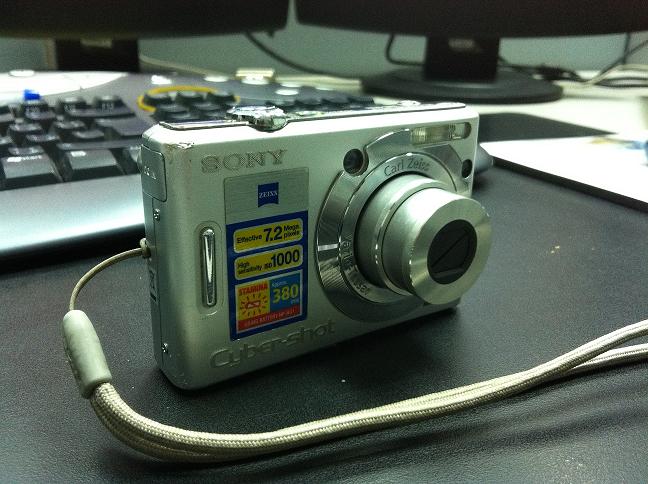
IMG_2827.jpg
Sabah Munir
Thu, 08 Sep 2011 09:44:47 +0000
This totally works. bang it hard on the side where you attach the tripod stand.
ramesh
Sat, 10 Sep 2011 21:34:36 +0000
guys, i hit it on the hand and table, but it didnt work, i think the lens are jammed with sand, what do i do now?
SHYAM
Mon, 12 Sep 2011 08:30:41 +0000
After I let my sister barrow my camera, I noticed that my camera was not working. I kept on getting a message saying "turn off and on again", so I did that. I believe my nephew dropped it due to that reason I received that message. I was desperate like everyone else on this link. Thanks everyone after practically beating my camera to the point of no return it worked. The lens popped right out. I for a change held on to the lens until my camera shut of then let go and turn it on again and off. Then I turn it on to make sure it worked. It now works perfectly now .
Lolo
Mon, 12 Sep 2011 23:26:17 +0000
Hey I was ready to give up on my camera, then I tried to tap it and it worked!!! I guess it had one too many trips to the beach this summer! Thanks!!!
Christine
Wed, 14 Sep 2011 17:22:26 +0000
After tapping it for about a minute it worked for me. THANKS FOR SAVING ME SOME MONEY!!!
JOHN
Mon, 19 Sep 2011 18:40:45 +0000
Maitha YOUR trick WORKS GREAT!!!!!!!!!!!!!!!!!!!! it REALLY worked!!!! Tap it twice on the table!!!!!!!!!!!!!!!!
THANK YOU MAITHA!!!!!!!!!!!!!!!!!!!!
brownvalley camera
Fri, 23 Sep 2011 18:31:18 +0000
Oh my gosh! I can't believe hitting it actually works!
mahalo
Fri, 23 Sep 2011 22:25:59 +0000
Just tried this and after a load of hitting (but not violent it worked BUT now I havent got a picture! Any ideas? I have a Cyber-Shot 10.1 DSC-N2
Patrick
Fri, 30 Sep 2011 10:45:53 +0000
It was showing turn off power and on again... but just two hit to hand solve this problem...
Thanks... it is really good....
ravi chavda
Sat, 01 Oct 2011 05:03:08 +0000
My DSC-W350 has been collecting dust for 2 years now. I decided to send it for repair but wanted to look for solutions online. Thank you soooooo much Maitha. I hit it a few times, hurt my knees and wrist, but could turn it on again. Yay. It still gives me that access message but I just shake it once and it works. Thank a lot once again.
Maya
Wed, 05 Oct 2011 02:36:03 +0000
wow!!!it did worked!!!tried it since so long but wasnt workin but i jst banged it wen it was turning on n d lens was poppin in n out n suddenly d picture came!!!jst amazing...thanx alot dear, thanx alot...
Rashad
Sun, 09 Oct 2011 10:01:07 +0000
Oh my gosh this is brilliant,
I too kept getting the 'turn camera off' error message and the lens would not zoom in or out at all. I was ready to bin my camera and accept that it was off to buy a new one until i tried a good few bangs on a towel covered table and pulling the lens around a few times. Hey presto it's like new. mmmmmwwwwwaaaaa!!!
Anna
Sun, 09 Oct 2011 13:56:08 +0000
THanks mathia.your idea really worked n i m happy that i didnt have to spend money on repairing.god thanks that i searched for the solution n hopefully ran into ur answer mathia.thanks once again
Rahul shrestha
Thu, 13 Oct 2011 17:02:58 +0000
Mathia= genius! Whacking it around works! I had to keep my camera on but this is gengeniuit worked on my Sony cybershot carl Zeiss dsc-120.
thank you thank you thank you!
summerrrain
Mon, 17 Oct 2011 07:07:27 +0000
*That word gengeniut is not supposed to be there
summerrrain
Mon, 17 Oct 2011 07:10:45 +0000
I got the 'turn off and turn back on' message on my sony cybershot hx1. We tapped it semi-hard on the desk and it worked!! Thank you! I was in a panic.
carol
Wed, 19 Oct 2011 03:20:30 +0000
I work at ritz camera and a customer had this problem and I searched my iPhone for a solution and it worked, she was so trilled she gave me a 20 dollar tip. Thank you !!!
Nick sedz
Wed, 19 Oct 2011 18:07:52 +0000
Yep it worked. Tapped the camera on the kitchen work top lightly and its worked. Thank you very much.
Antoinette
Sun, 23 Oct 2011 10:21:07 +0000
WOW. It worked.
I called 2 different repair people that said it would cost $130. The Sony site was dismally, pathetically useless. I spent hours online researching, searching and reading [which if I was billing myself would cost plenty]. Then I found this and whacked the camera hard on a towel--- and it worked! Who do I thank.
Johanna
Mon, 24 Oct 2011 22:05:24 +0000
OML! Tapping on the table (gently) FIXED IT! THANK YOU!!!
Ragan
Thu, 27 Oct 2011 01:45:54 +0000
I thought I would have to get a new camera, but I wanted to see if there was an easy fix first. I came across this site and was a little disbelieving, but after reading so many positive reviews, I decided to try it.
I turned my camera on, tapped it gently on my palm twice and the zoom works now!
THANK YOU SO MUCH MATHIA!
Anna
Thu, 27 Oct 2011 14:50:07 +0000
AMAZING MAITHA !!!! just fixed my neighbours camera with YOUR tip and made me the best looking handyman on earth :) :) THANKYOU
paul ledingham
Thu, 27 Oct 2011 16:35:25 +0000
I have never been so happy in my life this actually did the trick and all I did was tap it on my arm. Thank you so much for this post because I had borrowed the camera and thought I was going to have to have it repaired or replaced. Bless you
DEBBIE
Thu, 03 Nov 2011 06:13:30 +0000
did it a bunch of times on my hand and nothing, then decided to try it on carpeted floor; did it about 5 or 6 whacks and nothing, then turned it to the side and 4 or 5 more bangs on the floor and voila, the picture screen came on, thanks a million, my wife thanks you 2 million as she didn't know what to do and hasn't had a camera to use for several months until now!!!!!!!!!!!!!!!
paul bee
Thu, 03 Nov 2011 22:43:01 +0000
MAITHA!!!!!!!!! Thank you so much!!! I almost gave up after tapping it didn't work. Then I hit it while it was trying to open! Worked like a charm!!!!!!!!!!!!!!!!!!!!!!
Shelley
Fri, 04 Nov 2011 14:35:31 +0000
Oh my goodness! Tapping it while the lens was retracting WORKED! Thanks! I was going to go out and purchase a new camera and now I don't have to.
Thanks you for the posting!
Mari
Sun, 06 Nov 2011 19:38:56 +0000
I hzve sony Dsc-w210 camera. one day my son dropped it on floor (lcd side) in camra ON position . then camera lenses get jammed & showwing message "turn off & ON camera". I done same trick as advice by Maitha but it doesn't work for me. I tried sevsral times but all in vain.Pls advice what to do?
shailesh
Wed, 09 Nov 2011 04:44:03 +0000
did all that crap. Didn't do a damn thing but piss me off. Looks like the only thing that is gonna work is slam it down on concrete, throw pieces in trash and buy a new one. thanks for nothing.
joe pa
Sat, 12 Nov 2011 16:26:04 +0000
Yay, Thanks Maitha! Tapped it about 5 times and it worked!
Vendetta
Wed, 16 Nov 2011 22:21:46 +0000
Its been over a year since my camera has worked. The lens would zoom in and out like crazy. I found the old thing while cleaning out my closet.
I'm so happy I found this page because it works now. I tapped it really hard and also pulled onto the lens when it zoomed out. :))))) I can't believe it works again.
Jennifer
Fri, 18 Nov 2011 09:01:38 +0000
I had to hit my camera hard many times, I hit the table 3-4 times and try to turn on, repeat till your camera is working. each time the lense came out further and now is working great.
Lynn
Mon, 21 Nov 2011 14:10:39 +0000
THIS REALLY DID WORK! EVEN IN THE YEAR 2011!!! :D
Annonymous
Mon, 21 Nov 2011 21:02:00 +0000
Amazing!!!
I tried gentle taps many times. it was not working. then i hit it hard on carpet from a 4 ft height. It's WORKING now :)
Hima
Tue, 22 Nov 2011 21:01:00 +0000
tanks me ole buddy, she worked like a cats a$$ after i giver to er... a few hard smacks and she was spankin new! you da bomb dig! : )
Habba Babba
Sat, 26 Nov 2011 02:21:18 +0000
This is the best fix ever, it worked and it was fun!!! Wak the bugger!!!!
Carl
Tue, 29 Nov 2011 22:00:57 +0000
Maitha your method is amazing!! Cannot believe it worked but it did! ha!
Kyle
Wed, 30 Nov 2011 22:29:20 +0000
My daughter got herself a Cybershot a few months ago, and now she got this awfully annoying error message. But thanks to Maithas advice, it is now back on the tracks again! Two firm taps against the table really was all it took! Thanks a lot! Regards from a Norwegian.
kamp
Fri, 02 Dec 2011 21:41:33 +0000
realy tap works.........
now i am happy
yepeeeeeee.............
thanks guys
VIVEK KUMAR
Sat, 03 Dec 2011 14:57:26 +0000
Please im trying to figure this out! I cant hit it hard enough, im scared im going to break it even more....
Sally
Sat, 03 Dec 2011 17:38:53 +0000
i did it!!!!!!woohooooo!! saved me from selling my $500 camera for dirt cheap!
Sally
Sat, 03 Dec 2011 18:12:12 +0000
I laughed while reading the posts on here (like everyone else)...then I pounded our Sony DSC-W230 on my palm for about 15 minutes (with sufficient breaks...and the power off)...my wife jumped when she saw the camera lens extend!!! Thanks MAITHA you saved us a couple bucks for sure!!!
Jon
Sun, 04 Dec 2011 17:44:19 +0000
This method worked. Just went whammo a few times on the table and presto! a working camera.
WOO HOO!
RJ
Thu, 08 Dec 2011 15:49:35 +0000
I was getting an error message like the ones mentioned on other posts, I can still view my pictures and transfer them to my computer, so I know there's nothing wrong with the software. Last time I used it, the camera was dangling on my wrist with the lens still out. So that must have done it, a misalignment or something.
So off to the service center it went, I was quoted $100 for new lens parts and repair. Just paid $8 for diagnostics, charged the battery and tapped away, on the palm of my hand, on a sofa arm and on my leg. Started a little gentle (so I wont break anymore of it), tried it if it works and then repeat the process with a little more force than the last. I also tried pulling the lens out a little, nudge it to both sides and up and down, tap it while it's ON and also OFF. Took me 20-30min and then I tried it again and boom! The camera works again! I'm not sure how long it'll last but at least I got it to work again. Thanks for this post and especially to MAITHA!
If your camera is relatively new, take care on the amount of tapping/whacking force you apply. It can still be repaired and you don't want to break it anymore than it is already.
CHAD
Fri, 16 Dec 2011 19:13:30 +0300
I can't believe this works, but sure enough it did the trick.
David
Sun, 18 Dec 2011 06:04:52 +0300
OMG!! please help me, i hit it soo many times whether its on my lap, my hand or on the table! its still not working! when i open the camera, the lens doesn't even come out and it starts to make this click noise like its trying to come out but it can't! sooo PLEAAASSSEEE someone HELP me!!!!
Anna
Fri, 23 Dec 2011 03:35:03 +0300
AMAZZZINNNNGGGGGGG!!!!! Worked for me too, was hitting the camera harder and harder and HARDER AND FINALLY IT WORKED!!!!
Christian Seance
Sun, 25 Dec 2011 03:52:06 +0300
OMG It does work! Mine was a few more taps but eventually it worked!! Thank goodness cause I have a trip to mexico in a couple weeks. Thought i'd need to borrow a camera!
Kitty
Sat, 31 Dec 2011 03:19:50 +0300
This is just Amazing!!
I hit it hard 3 or 4 times and now it works!
Amazing!!
Sat, 31 Dec 2011 22:33:23 +0300
I only read the first three comments. I tapped the camera against my hand and it worked! I�m laughing my head off!
Ivan
Thu, 05 Jan 2012 02:56:37 +0300
YES! AMAZING!!! I had to do it a few times but thank you, thank you cyber world!
KYuschak
Fri, 06 Jan 2012 16:11:40 +0300
12 JAN 2012
Well done Maitha!!! Tapping firmly onto the desktop whilst the
camera is doing its' three in and outs works !!!!
My camera is a nearly new WX1 Sony so the problem still exists for newer Sonys.
It took about 20 taps on the right hand end ( viewed from front ).I guess the
shock has to be timed right for the lens position.
Also mine was'nt retracting its' lens normally - it did a " bounce " out again
before fully shutting - maybe a clue as to what was wrong
CHEERS !
malcolm
Thu, 12 Jan 2012 16:39:34 +0300
Bought a 3 year old broken DSC W150 in good shape but with the dreaded "turn the power off and on again"
Slid 1/2" slip of paper around the inner lens that would not extend to clean out sand? Nothing.
Tried banging camera on upper leg. Nothing.
Tried very, very gently pulling the lens counter clockwise upon startup. Nothing.
This is what worked like a charm from: pda-battery.ca/camera-tips/turn-the-power-off-and-on-again/
Number#2: basically, turn the camera on; and pull out the battery. When I reinserted the battery and turned on the camera it worked normally!! All fixed.
fakejake
Fri, 13 Jan 2012 20:50:50 +0300
I can't believe it either!!! I was all ready to touch the reset button and thinking it wouldn't work anyway...and found this tip! WHACK IT!!??? who knew??
FYI- I tapped the base of the Sony HX1 camera and nothing,also the sides and top-nothing... then lightly tapped the actual lens cylinder (part that goes in and out to focus- not the glass) and suddenly it popped out and closed!! My lens had gotten stuck initially when the battery died before it closed all the way.
Thank you thank you thankyou!!! I'm soo relieved!! :)
catfamfu
Sat, 14 Jan 2012 21:36:54 +0300
just to clarify, I used my fingers to gently tap the lens,not banging it on the table as others mentioned. I laughed my head off too! and still can't believe it worked!!
catfamfu
Sat, 14 Jan 2012 21:41:03 +0300
It did not work for me.
My camera is p32.
Any idea?
Mehdi
Fri, 20 Jan 2012 17:57:04 +0300
I was actually talking to Sony on chat to get mine fixed, and I saw this post. It worked for me!!!
chrissy
Sun, 22 Jan 2012 05:51:24 +0300
really works! on vacation in Maui and it did this during an awsome. tie for pics ...only wish I had search an seen this earlier today!
Susan
Tue, 24 Jan 2012 07:34:30 +0300
This happened with my camera on my honeymoon - we immediately went out and bought a new cybershot, which I've been grumbling about for the last 10 months (the old one took WAY better pictures). The tapping thing WORKS! I have my old camera back - I'm so excited!
Sue
Fri, 27 Jan 2012 19:34:19 +0300
It worked on my 6th tap on the kitchen counter. This post just saved me 300 bucks!thanks maitha
americanbobby
Sat, 28 Jan 2012 05:32:41 +0300
IT WORKED!!!!! UNBELIEVABLE! I thought my Sony Cybershot was a goner before I came across this page. Thanks Maitha! You're just awesome! and thanks for everyone else for sharing the success of the remedy!
Lucky
Sun, 29 Jan 2012 08:17:14 +0300
I have a DSC-W350 that was accidentally dropped on the pavement while it was opened. The lens are now stuck half way. I inner lens will not extract or retract without force. I came across this site and was very relieved to hear the sucess stories. However, after many hits, drops, banging, etc... the lens are still not working and the error message still shows up. My question to you all is, is the inner lens supposed to be loose? Have damaged something else? Can I pull the lens out with breaking it? What are your recommendations? Thanks! Meanwhile, I'll keep banging it hoping for a miracle.
Stacey
Mon, 30 Jan 2012 00:47:10 +0300
is working..!!!! thanks you.. MUCHAS GRACIAS
FACU
Tue, 31 Jan 2012 18:39:24 +0300
I really thought that was a joke, but it works!! Thanks so much.
Leandro
Wed, 01 Feb 2012 04:18:16 +0300
This really did work. I had to really bang it maybe about 10 times. My camera is working great now
Sandra Lombardi
Thu, 09 Feb 2012 01:03:35 +0300
Thanks Maitha! Didnt work at first but works now! So,happy to have not paid a bunch of money :)
Dani
Mon, 13 Feb 2012 20:45:23 +0300
it didnt work for me. i dropped it on the ground and the lens wouldn't retract anymore and it still has the same turn the power on and off again message..... my camera is a DSC-W180
Attached Image: 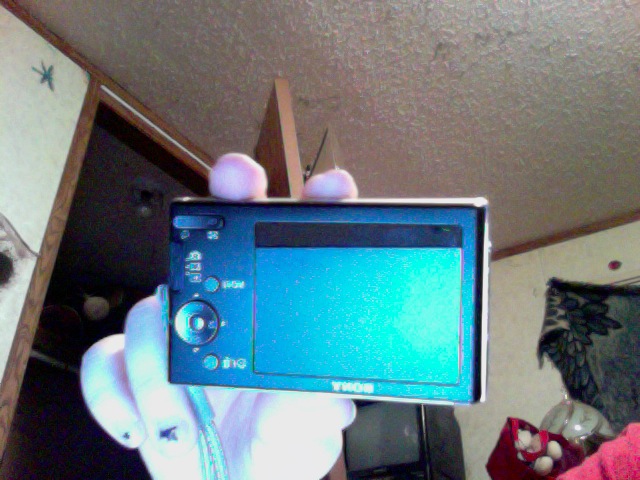
Photo on 2012-02-15 at 22.36 #2.jpg
Autumn
Thu, 16 Feb 2012 07:37:45 +0300
It worked great on the W290. Had to whack it hard on the palm of my hand a few times before it worked though. I love it when things can be fixed just they did in the old days. Thanks.
Mark
Sat, 18 Feb 2012 11:12:42 +0300
Bless you Martha! I can't believe it worked for me.I have Sony CyberShot DCC-HX5. If you have this problem tap your camera in table while is off in different angles. In my case I tried bellow, in top etc. But it worked only I taped in particular corner. Good luck guys.
Fatmir
Mon, 27 Feb 2012 00:22:32 +0300
IT WORKED!! had to try a few times but it worked!! you're a genious :)
Lizzy
Fri, 02 Mar 2012 14:43:48 +0300
Yes! It worked for me! I hit it about 20 times at various strengths. THANK You !!
Wolf Finkbeiner
Sat, 31 Mar 2012 11:04:34 +0400
Thanks a lot Ms Maitha !!! It really works !! My problem was lens was freezed open and I could not shut down. Thinking this is worth to give a try , i just tapped with all possible modes, shut off / on , everything .. Finally it worked . Hurray !! Thank God to take me to this post ! YAY !!
Anita
Sat, 07 Apr 2012 14:43:21 +0400
I can't believe the tapping on the table works! Thank you so much, Ms. Maitha!!!!
Spencer
Sat, 07 Apr 2012 22:50:36 +0400
I was having this problem and I found this link and I smacked it and it's working fine again! LOL!!! thanks
Chester
Mon, 09 Apr 2012 09:02:41 +0400
Worked as said!!!! Absolutely amazing!
Sony DSC-W350
Thu, 12 Apr 2012 03:50:35 +0400
Yeah baby! Didn't work the first few times, but then I gave it five hard whacks on the table topside down and it opened up. Yay!
Jim M.
Thu, 12 Apr 2012 08:31:35 +0400
yeppie~!! my friend was worried for a while!! and i really needed to make her happy!! wow! thanks maitha!! continue to help us!! >:P
naaren
Sat, 21 Apr 2012 18:02:05 +0400
Worked on my Cybershot on the 7th table tab!!!!! Would have thrown it away without this info.
anonymous
Thu, 26 Apr 2012 20:53:49 +0400
Got the same problem with my DSC W210, Lo and behold!It work on my 5th tap! The idea is indeed effective for me!
Cheers!
Benjie
Mon, 30 Apr 2012 16:16:37 +0400
Hello Sir,
Good Morning!!
My Sony Digitalcamera fell down from my hands.It is not working properly showing the error message as "turn off and turn on". will it works?
Sandy
Wed, 02 May 2012 10:21:48 +0400
Goodness gracious.... My Sony DSC W350 14 mp began giving me this error message so googled the issue and was directed to Maith's post of 6 years ago and........it worked. First time it worked but auto focus wasn't working but a few more judicious wallops fixed that too.
Hey presto ! Brilliant post Maitha, many thanks.
Linda Jacobs
Sun, 06 May 2012 00:20:12 +0400
I stumble over this site and read all the comments and try it and my camera work after dozen of beating but when turn off and turn back on it still give me the message so I continue to beat even harder and somehow it works now. thanks
Paul
Tue, 08 May 2012 23:52:28 +0400
works for me....try tapping on the top portion where you can find the on and off button... cheers
krupt911
Wed, 09 May 2012 09:55:20 +0400
Wow it Worked! I was a bit skeptical since is wasn't working against my palm. Finally, as the camera was powering up, I whacked it like 5 times on the bottom against a flat table. And Presto! Working camera. Sony should thank you Maitha!
CLareh
Sat, 12 May 2012 20:33:44 +0400
fabarooney! Ive treied initializing and allsorts, nothin worked. greeted it with a few slaps and now it does thank you sooooo much
glitzy-girl
Fri, 18 May 2012 16:14:33 +0400
Can NOT believe this works. We started with a few gentle taps and progressed to hitting it HARD with the heel of my hand. REALLY hard, while the camera was on. This problem started when I turned it on and off too many times too fast. It's an OLD camera that owes me nothing but I'm glad it's fixed!!!
Alicia and Jake
Sun, 20 May 2012 03:28:29 +0400
lo he probado en una W120 y... FUNCIONA
Gracias Maitha
joaquin Spain
Sun, 20 May 2012 23:04:24 +0400
Pretty simple fix, and worked on a Sony DSC-S2100. I was ready to toss the camera, thanks for the suggestion.
It did take a pretty heavy hit on the palm of my hand before getting reset.
scotty macdonough
Sun, 27 May 2012 22:35:49 +0400
It really did work!!!
I thought my camera was a goner after reading the manual for my DSC-W55. As a last ditch effort, I googled to problem and found this site.
I had to smack it a couple times for it to work. I hit the side with the digital display on the palm of my hand 3 times and it finally turned on again.
Thank you so much!
Devin
Thu, 31 May 2012 00:56:17 +0400
This method showed promise and eventually the lens came out, once, but by that time I ruined my display. Camera is shot. I recommend not hitting it too hard unless you've accepted the fact that you're about to need a new camera anyway.
LB
Sun, 03 Jun 2012 00:14:36 +0400
I did this same thing back in 2008 or so with a DSC-W70 (my second DSC series camera) and it worked. I have since gotten another camera. It's working okay, but I am about to try it on my even older DSC-W50, which I still have.
My old W70 was kept alive by this technique (which, by the way, I didn't get from here) for another 4 months after it initially had trouble, which was also after it had already undergone a lens replacement under warranty by SONY, then failed again another four months after that for the same thing.
The DSC-W50 failed. Of course, I think it was pretty much already dead and I have had two more cameras since. The lens element is now very loose and shaky. I made sure that the next cameras I bought would take the same batteries. I now have four batteries and three chargers. Very handy for extended photo walks.
Questions for all if you ever come back and read this:
How many of you took your camera to the beach or a sandy place?
How many of you have high relative humidity where you live?
How many of you had the camera dropped before the problem showed up?
This could help others in the future to solve issues when it won't fix itself with the tapping, bangning methods.
In both cases, my W50 and W70 both had been to the ocean areas before the fouled up. High humidity and sandy environment. I am worried about taking my DSC-H55 anywhere near the ocean, but I love birding and photographing them. At some point, I'm going to have to make it to the coast for more variety.
dunniteowl
Sun, 03 Jun 2012 01:32:51 +0400
Wow. Really? Unbelievable. 4 whacks on the front to try and get the lens to retract and that just saved me a bundle. Had my Sony camera in a beach bag and it got a little wet about a week ago. Thought I had dried it out but then when I got the "turn the power off and on again" message thought something inside had fried. I agree that it may just be a last ditch effort, and that's where I was. I wouldn't just try to hit something like that as a first plan of attack. I'm going to try the same thing for my Atari 2600, Coleco football game, my 8-track tape player, Ford Pinto...
Ric
Wed, 06 Jun 2012 06:06:59 +0400
From Denmark - my sons W210 gave the same error msg - we thought he didn't handle it with care!! I found this page - and tapped it several times and IT WORKS... Don't think I will tell my husband what I did to the camera......
Thanks to everyone.
Bente
Thu, 07 Jun 2012 22:10:00 +0400
Wow!!! it really works wish i had read this 2years ago
james
Tue, 12 Jun 2012 09:24:28 +0400
my camera is a cybershot .sony 10.1 megapixels it says turn it off then turn it on again i did it still nothing the lens work well but they kepp getting in and out like 3 times it did not work what maitha said i did it like 20 times already plsss anyone help me who has another idea :(
steph
Sat, 16 Jun 2012 07:12:41 +0400
I have a DSC W220 and have had the same problem "turn camera on and off again" error message. I've tried EVERYTHING icluding the "reset button" and have been extremely frustrated because NOTHING has worked. I was going to buy a new camera today. I decided to look up the problem online one more time and found this sight which said to tap the camera twice. So I figured what the heck I'll try it and of course it did not work. I tried banging it again and again and it still didn't work. Then I turned the camera on then removed the battery and then repeatedly slammed the camera on the table several times pretty hard. I then put the battery pack back inthe camera and turned it on and to my surprise IT WORKED!!! I truly could not believe it and did not at all expect it to work but it did and saved me a ton of money on buying a new camera. It works fine now. So try hitting it on a table or hard surface and if it doesn't work the first few times, try hitting it several more times and it should work.
Mic
Fri, 22 Jun 2012 00:28:18 +0400
I too thought this whaking thing as a joke but it worked.. thanks! I was about to take my dsc w210 for repair.. this post save me.. it really works for jammed lens.. if u have a similay problem then just tap your camera quite hardly from all sides..
binaya
Fri, 22 Jun 2012 17:32:05 +0400
Totally worked for my dsc w370! Was absolutely amazed.I thought the caveman technique was long gone in this super sensitive digital era, but it really worked.thanks for saving me a couple hundred !
Brandon
Sun, 24 Jun 2012 05:54:43 +0400
It worked for us too. Don't be afraid to hit the lens while it's out. It took me 10 minutes but it worked. Thanx
Photo Miki
Thu, 28 Jun 2012 17:41:46 +0400
I had the same "turn power off and on" message error and worked it out myself. Mostly just dirt on the gears and cleaning it out worked just fine. Open it up and spray out the gears with compressed air. The lens was stuck because it had dirt and sand inside. Tapping, hitting and throwing it didn't work for me.
P.S. I did take mine to the beach and I live in a very humid area which probably caused the problem.
Myka
Mon, 02 Jul 2012 07:27:57 +0400
I had the same problem. It would turn on but the lens would go in and out and the message would say "Turn off and on again" . I took out the battery while the lens was sticking out and twisted it a bit ( not forcing it) and it works now!
Stef
Mon, 09 Jul 2012 06:35:46 +0400
I did all the banging in the world! I even got my bf to smash it for me, and he thought I was nuts. But one person on here gave advice to grab the lens and turn it as it goes in, and after hurting my hand in trying beat the lens out of it, that worked!
Jade
Mon, 09 Jul 2012 22:17:43 +0400
It's Amazing...I did tapping and it works fine...you have saved me Rs.2500/- . Thanks very much maitha....!!
Santhosh
Tue, 10 Jul 2012 14:12:10 +0400
fantastic !
it's work for me too
for
dsc-wx5
thank you
tananina
Sat, 14 Jul 2012 14:14:26 +0400
had the same problem after i accidently dropped it with error message "turn the power on and off"..just taped it as suggested above on the pillow couple of times and it worked fine..Tapping works!!!!...thanks a bunch
misha
Tue, 17 Jul 2012 11:41:27 +0400
ha ha ha!! tapping it worked...mental!! thanks i'm chuffed to bits xxx
wendyloo
Sun, 22 Jul 2012 17:43:35 +0400
Hi,
I tried tapping my camera gently but it gave the same massage, then i took the battery out and reinserted it and my Camera started working. Thanks everyone.
RITIKA
Mon, 23 Jul 2012 15:59:31 +0400
What do you people do, throw it at the ground? No matter how many times or hard I slam this thing on my floor, it still wont zoom past x3.3.
Attached Image: 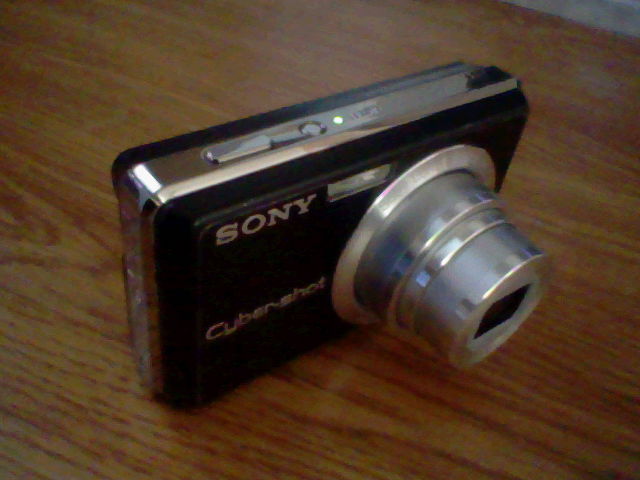
HNI_0011.JPG
Lameonade
Wed, 25 Jul 2012 17:46:19 +0400
Fantastic....it also worked on my jammed DSC-W115. The simplest repair guide ever...thanks :)
Dan
Fri, 27 Jul 2012 02:15:45 +0400
Holy smokes, I've been putting off trying to fix this for several months assuming it was some complex 'reset' process or 'download-analytze-install-configure' process (good thing my old Kodak still works great). I gently tapped the camera a few times on the table as suggested and I'm taking pictures again!
Bryan Campbell
Sun, 29 Jul 2012 19:14:04 +0400
Awesome. The banging trick worked for me.
Thanks
Ray
Wed, 01 Aug 2012 01:11:48 +0400
I tried tapping it for a while and got so frustrated. You really have to bang it to get it to work! I think there might be some other problems with my camera since it's a bit old, but it did the trick. THANKS SO MUCH!
Cassie
Tue, 07 Aug 2012 19:09:42 +0400
Scratch that, it works perfectly!! Saves me $700 bucks!
Cassie
Tue, 07 Aug 2012 19:18:16 +0400
Yeah i also got the same problem with my DSC- W220. I tried whacking several times... at first nothing happened and then I switched it off and whacked in my hand thoroughly and hit the from of the camera too.. ie : just around the lens part and then I switched it on.. YEAH IT WORKED !!!!!!!! HAHA really funny about this.. Is this the same sony service centre guys do ?? HAHA
Abraham Vivian
Wed, 08 Aug 2012 12:15:28 +0400
thats a great it works for me. thanks for your advice.
zain
Thu, 09 Aug 2012 22:32:29 +0400
Thanks a lot guys.......
I was about to purchace new camera as I am now in beutiful contry and wanted to capture snap but couple of weeks back my camera catched with this 'access' error. Even it was expensive to repair in this europen country. Was thinkg to try by replacing the battery as well. But this discussion and the idea placed was superbbbbbbbbbbb!!!!
My Camera is working fine now....... I tried hard tapping thrice on my palm first while off condition, then I tried with On condition hit hard at the bottom side near threded hole and it works......
Please try your best.....
sagi
Fri, 10 Aug 2012 15:25:17 +0400
Tickled pink that this worked! You saved my holiday snaps! Go Martha!
Rocker King Cush
Wed, 15 Aug 2012 12:11:04 +0400
OK It worked for us too, it took a few gradually increasing taps before it worked but it did work no the less.
1. Tap with lense facing up on a even surface
2. Test and repeat.
Chris Wood
Sat, 18 Aug 2012 01:14:57 +0400
to everyone who posted, thanks! the old school han solo smack it until it works, ACTUALLY WORKED! you just saved me $120!
bill
Mon, 20 Aug 2012 10:08:06 +0400
You are awesome!!! Thank you so much! I was so skeptical, and now I am so excited. I haven't used this camera (dsc-p10) in a few years and I was reading all these other sites about how the ccd chip or something is probably broken but they won't fix it for free anymore. Anyway, I ran across your site and whacked it 3 times on my hand 3 different times and now it works! Thank you so, so much!!!!
Sarah!
Wed, 22 Aug 2012 22:55:43 +0400
THIS IS NOT A JOKE. TAPPING THE CAMERA WILL FIX THE PROBLEM! hit it multiple times until you see the image !! try hitting when on and off. hold the lens if you must. my camera does not close all the way but i can FINALLY take a picture!!! this was a lifesaver!
sam
Mon, 27 Aug 2012 19:23:49 +0400
Thanks a ton.. I saved a fortune doing just this.. Super effective and zero cost!
anonymous
Tue, 28 Aug 2012 02:23:57 +0400
And it worked in Holland too! Don't give up if at first you do not have the successes reported above. It took me somewhat longer, but no need to smash it really hard. Thanks a lot.
Peter
Fri, 31 Aug 2012 19:33:14 +0400
Hi All ,
The Trick works for me in SONY WS350 camera !
Steps i followed
1.Charge the battery to full 100 %.
2.Turn On the camera
3.It will display "CYBER SHOT " and lens will come out and IN multiple times (3 times ).
4.On the third time , i have hit the LCD side on my left hand biceps hardly .
BOOM IT WOORKS !!!!!
I was really worried about my camera and if i get that to service center guys they might charge atleast half the price of my camera !
Senthil kumar
Sat, 01 Sep 2012 09:44:44 +0400
I followed Senthil kumar step's...first attempt not came but second attempt its working.....if you face this problem you also try...Thanks all
Manju
Fri, 07 Sep 2012 21:00:17 +0400
THIS IS NOT A JOKE! As others have said, this works! Getting the 'turn it off and on again' message, I searched the Internet for possible solution. I came across this thread and thought, yea right. After taping on the table serveral times - no luck. Then hit the bottom of the camera on my palm as hard as I could - about 5 times and presto, camera works!!! Sony Mavica CD300 (an oldie but goodie, now)
Berni
Sun, 16 Sep 2012 02:46:48 +0400
This is cool!! tapping really worked for me too. I have sony DSC-WX9, all of a sudden it started throwing same error 'turn the power off and on again'.I tried all options- charging it full, formating memory card but no luck. Just before visiting service center came across this page, initially thought might be some kind of joke but this worked!!
I tapped the camera on my bed 3-4 times in ON mode and it worked for me like a charm :)
Vivek G
Wed, 19 Sep 2012 20:36:15 +0400
My son somehow managed to jam the lens on my camera. I came across this piece of advice and just like everyone else it really did work! So great. Many thanks.
A Sta
Thu, 20 Sep 2012 15:07:14 +0400
It reallllly worked!! I've been having issues all day with the power on/off thing and the lens having issues. I hit it on the table twice and voila! it works now. Thank you soooo much!
Candi
Wed, 26 Sep 2012 01:51:25 +0400
Thank you very much, You just save me big time!
Spike
Sat, 06 Oct 2012 07:41:19 +0400
Maitha, you're God. Thank you. I had already written if off and made a mental reserve towards a new camera. Luckily it won't be necessary.
Chris
Sun, 07 Oct 2012 23:09:25 +0400
you are a life saver!!!after two months without my camera i almost gave up on it and bought a new one
marii
Wed, 17 Oct 2012 00:39:02 +0400
I thought mine would not work anymore as I started tapping it and nothing happened, GOT MAD :/ threw it to the cement on a cardboard box a few times and Boila!...it works as new, THANKS!
Loubenia
Wed, 24 Oct 2012 06:35:30 +0400
Hhahahahha, worked for me too :) you just have to be patient, hit it until it starts working again :D :D this is great!
Layla
Sat, 17 Nov 2012 17:26:44 +0300
Ok, the last comments on this were back in 2007, but Maitha still rocks. We were just about to drop $500 on a replacement camera, and I've been online all day looking for solutions. Ran across this tonight, gave my camera a few good whacks on the palm of my hand, and the lens retracted. WOOHOO!!!!!!
3miles
Tue, 27 Nov 2012 07:17:44 +0300
jajajajaj funciono!!!!! denle un golpe ajustado y fuerte...y el lente volvera a entrar....
edgar
Mon, 03 Dec 2012 06:50:06 +0300
Blow compressed air in the gaps around the lens barrels (when camera is on, when len is visible and lens barrels are hidden) worked!!! Try this first!! Thanks to annoyedwithcamera and maitha!
FrantaH
Thu, 06 Dec 2012 09:59:34 +0300
OMG!!! it worked!!!!! im abroad in South America, on my way to Colombia and Machu Pichu, I went to a concert and all of a sudden the camera gave me the message, missed out on some photos last night because of the problem! I hated the thought of buying a new one since im on a budget!! did as told, at first the light taps didnt work, then kept reading along that it had to be hard almost smashed. so i droped it on a chair from like 40 cm above, it sooo worked!!! Thank you so much!!!!
Sofia
Thu, 06 Dec 2012 22:31:01 +0300
Ha Ha worked for my sony cybershot. was so cranky i gave it a real good wack on the bench. thanks for the fix for my camera and my anger!!!
Sandy Lewis
Sat, 08 Dec 2012 09:44:58 +0300
Woooohoooo it worked after trying for half an hour off n on cause battery kept dying. Well.... It didn't work till battery was in charger and it was off and I hit it on the counter kind of hard not bf thought I was too rough but it worked!!!! Yay!!! Hahahah
Goodluck!
Crystal
Thu, 13 Dec 2012 09:23:24 +0300
Tapping a corner of the camera on a hard surface with the power on works. Thank you Very Much Maitha for the great suggestion.
DDan
Drifter Dan
Tue, 25 Dec 2012 18:24:45 +0300
I dropped my Sony Cybershot WX5 on my stone kitchen floor into a puddle of water. I too had the Turn power off message and could only review photos, and the lens was completely extended, wouldn't move a bit. When I looked closer at the lens I noticed it was pointing downwards. So I tried to firmly move it upwards, heard a pop,and now its perfect again.
I did not do it hard, only firm, with my hand supporting the whole lens. I also tried tapping, but only very gently on my palm, so it didn't affect it - it was really badly out of alignment. I was also too nervous to hit it hard, in case it fixed the lens but did irrepairable damage to something else inside.
My husband also recommended putting it in a bowl of rice for a few hours in case it was the water (soaks up the water). I didn't do that, as the water didn't get in, but may be worth remembering.
Tiff
Mon, 14 Jan 2013 02:43:45 +0300
Saya jga punya masalah yg sama pada SONY CYBERSHOT DSC-W35 saya....."TURN OF POWER AND ON POWER AGAIN" Wow...Alhamdulillah....Awalnya aq g percaya...tp,.....WOW..ternyata dg cara melemparkannya ke meja setinggi 20 cm bisa menghidupkannya lagi....PENEMUAN yg SPECTAKULER.......GOOD LUCK ALL..
Indra
Mon, 11 Feb 2013 10:21:45 +0300
I just tapped my camera twice and it totally worked! Internet for the win!!!
Christy
Fri, 15 Feb 2013 18:00:15 +0300
MAITHAAAAAA you're a genius! It just worked for me too folkies
sdoggiedog
Tue, 12 Mar 2013 02:44:09 +0300
It works!!! Halfway through our Mexican vacation my parents had this issue with their camera. Luckly I had mine with so we didn't loose any chances at photos but they were still bumed that their camera wasn't working. I came across this site and thought I'd try wacking. I was hittig it every which way both on and off and it still wasn't working. Annoyed and pissed off I threw the camera on the floor (carpeted) and the battery came flying out. Put it back in and turned it on and it was fixed!!! Thanks so much.
Tara
Sun, 24 Mar 2013 06:45:29 +0300
thanks it work for me too Sony cybershot DC-w35
bilal
Thu, 04 Apr 2013 21:52:00 +0400
Thanks a lot it worked for my cam too.
Anil
Fri, 19 Apr 2013 23:36:29 +0400
thank u very much itx work on my sony cam thankx
Mudassir Mansoor
Sat, 27 Apr 2013 21:33:40 +0400
I was having the same problem today with my Sony DSC-W350 camera - same symptoms! I was very much frustrated about having to try getting it fixed. I ran across this post while searching for a solution. I tried 2 hard wacks on the table on the LCD side. It now works like before the problem. Thanks for the help.
Mike Legendre
Fri, 03 May 2013 05:44:22 +0400
I cannot believe you were right!just do it when the camera is on guys-for those that didnt make it...it will work!
ep
Mon, 27 May 2013 00:00:18 +0400
it really works. i tap the camera sony cybershot dsc-wx1 for around soft tap 12 times and a hard one on the floor. problem solved. thank you for this forum.
jay
Mon, 03 Jun 2013 11:52:56 +0400
MAITHAAAAAA........thanks buddyy....it seems a great pleasure to thank u....becoz i was stucked with the same problem haappnd my friends camera which i borrewed from him.you save my 3ooo rs..when i asked the shop keeper he told me that it wil cost 3000 rs to repair....any way after watching ur reply i jst taped it for 7 times...its work...thank u so much
'Vinu
Wed, 12 Jun 2013 07:26:28 +0400
Had the same issue with my DSC-W120, tapped it in my hand 4 times and it works fine. AMAZING!! THANKS MAITHA
Rich Huber
Sun, 23 Jun 2013 21:44:29 +0400
Worked for me as well!
Just hitted with the lens opened.
Greetings from Chile.
H�ctor
Thu, 27 Jun 2013 06:34:33 +0400
still solves the problem in 4-5 years later. Thanks.
Dick
Fri, 05 Jul 2013 19:53:21 +0400
worked for me too ...incredible yyyyyyyyyyaaaaaaaaaaaaaaaaaaaaaaaaaaa
denis
Thu, 01 Aug 2013 03:22:58 +0400
Started shopping for a new cam instead of my w130. 10 whacks and it was back...amazing
Niels
Fri, 02 Aug 2013 02:14:59 +0400
Tried whacking it with no luck. I then noticed that the image behind the error message was blurry. Then I tried to press the zoom in/zoom out button and voila then the camera started working again. Seems like the lens inside was out of alignment.
WX1 User
Tue, 13 Aug 2013 15:40:24 +0400
Omg! I hit it up against the palm of my hand about 6x & IT WORKED! thanx so much :)
ni�a
Fri, 23 Aug 2013 09:18:04 +0400
After getting a $98 quote to repair decided to research some more. Ran across this site; I tapped it on the mousepad and it worked!! (took four fairly firm taps) WooHoo! Thx for the help!
Nance
Wed, 28 Aug 2013 21:52:55 +0400
I'm more amazed that this method is still working in 2013 :P today I droped my elder brothers W35 pritey hard on it's lens while it was on and when I picked it up the camera was powered off by the jerk, what I noticed was that the lens was pressed in at one side and I pushed it out but then this problem occured which has happened to all of the above people.
So I tried hitting it on my table but it was not working for me so waht I did was I turned on the Cam and as soon as the lens came out I pushed it to the side right side as meaning It was droped on the left side making it get stuck in, anways the lens went in and came out again and I pushed it to the right side again and the screen turned on and I was very happy to see it working again. Noe the only problem is that I have to do this every time I turn on the cam so I guess I'll still have to get it fixed, but thanks Mathia atleast I can take Pictures again :)
Baatish
Thu, 29 Aug 2013 20:00:23 +0400
I have a Sony Cyber-shot (DSC-W220) and I too received the dreaded 'turn the power off and back on again' message. I have had the camera for a few years now and haven't had a single issue with it. I came across this forum and began reading how banging the camera against something will remedy the problem. I was a bit skeptical at first, but I figured it was worth a shot. So I proceeded to turn the camera on and while it was going through it's cycles I hit the camera against the palm of my hand several times. Well it finished it's cycles and I received the message again. I then turned the camera upside down and banged it against my leg while after turning the camera on again. The lens then stayed open and I saw my view finder again! I took a picture and it worked fine. I hope that I don't get the message again, but if I do I know what to do! I am glad that I am able to use it again though; I have a camera phone but it's just not the same! Good luck and thanks!
Hoffy
Tue, 03 Sep 2013 09:22:53 +0400
Maitha rocks my world. Was about to buy a new camera and saw the advice to tap the camera on the table and it works!
Maggie
Fri, 06 Sep 2013 03:06:42 +0400
Martha you are a hero. It worked :D
Master Ryken
Fri, 13 Sep 2013 14:35:00 +0400
I wasn't sure this would work for me. I dropped my camera. It was in a padded bag, but I figured I was OOL. After reading the other posts there was no reason not to try. I did hand-tap it and hit it a few times on the table without luck. I decided to hit it a little harder. 'BAM' it worked! An easy solution. Humongous rewards. Martha, if you're still reading these posts, you deserve an award. Love ya. Thanks a million!
Marie
Sun, 15 Sep 2013 19:04:20 +0400
I have had a W380, which worked perfectly for 4 years till this problem came up. Many wacks were of no help till I tried wacking as the lens was coming out. Yes, it worked. I am very very pleased - thanks a million!
Quentin
Sun, 22 Sep 2013 14:38:20 +0400
I just had to comment ..The guy who suggested wacking the cam rocks ! Thanks mate , I had to pay a considerable amount last time it happened to my sony I guess the guys over at service center probably did the same . You saved me a trip down there and also the cash!
suyogonhisown
Mon, 30 Sep 2013 18:51:56 +0400
A 6 year old thread still kickin' it. Thanks Maitha, it helped me out!
R.T.
Mon, 07 Oct 2013 23:31:36 +0400
It worked for me too. Does anyone know why?
whatshapp
Tue, 08 Oct 2013 11:14:22 +0400
after a hard hit, finally it works :D
Gimi
Mon, 14 Oct 2013 00:48:35 +0400
As with everyone else with a tap on the desktop,bingo it worked. Thank you!
Bruce
Wed, 16 Oct 2013 17:51:41 +0400
I had the same problem with sony dsc-320, sure enough a few bangs on the floor and it's working again. Was definitely worth a try as even if it had broken it I was going to have to buy a new one anyway
Emma
Wed, 06 Nov 2013 23:43:56 +0300
Thank you. Took about 5 minutes to fix. Squirt a little air - tap on the table. Didn't work. Repeated process and Voila ! Fixed. Many thank yous.
Cheery
Fri, 08 Nov 2013 23:10:19 +0300
Meuuu deussssssss, Maitha, eu acho que eu quero casar contigo, kkkkkkkkkkkkkkkkkkkkk, eu j� estava querendo morrer... até que li isso, a minha felicidade aqui é de uma crian�a quando ganha in�meros pirulitos. Muito obrigado pessoal, aiiiii que felicidadeeeeeeeeee *---*
Mateus
Tue, 12 Nov 2013 15:56:04 +0300
Well well, tapping the camera whilst switched on, against the palm of my hand several times and hey presto I have a working camera. Thank you.
Gareth
Fri, 06 Dec 2013 18:36:44 +0300
Took me a very long time and a lot of smashing/hitting but don't give up - it works!
Em
Sat, 21 Dec 2013 04:16:40 +0300
Do it!!!! when your cannon's camera is out, you have to flick beside for twice and then turn off and on again. It's done! (The Mainer of the problem is the jammed lense )
Dae Vid
Sat, 21 Dec 2013 07:55:06 +0300
2-3 smacks and my sony dsc-hx1 is fixed also!
Bryan
Wed, 15 Jan 2014 03:05:10 +0300
Wow!!! I can't believe but a few hits on my palm and camera starts working properly again. Thanks Maitha and all that confirmed it works
Jay
Fri, 17 Jan 2014 23:52:19 +0300
Unbelievable - I tapped and tapped and tapped on my daughter's camera and nothing happened. Pretty annoyed I decided to hit it quite a bit harder on my desk, and wow! - out popped the lense and everything just worked! Thank you! :-)
Kenneth Kamp
Sun, 26 Jan 2014 20:22:06 +0300
Thank you very much it worked after tapping the camera on the table. I do not know if it is a bug from Sony
Ibrahim
Sun, 16 Feb 2014 10:10:59 +0300
Oh.! GOD...!!
camerahacker.com Just really rocks......
I have a DSC-H200, and when I was taking some pics with zoom it all of sudden the lens got struck. I have pressed the power button........but it makes no difference..
I was quite messed up about it.
I was really hope less and don't wan't to spend bucks on it.
So I Just kept it aside for almost a month.
As I have no need at that time.
So I was just surfing about cameras and has just google'd about fixing of problems.
And I started reading all comments one by one....
So I've even given it few hard taps with my hand on it's lens but it did not work.So I've did the same thing in the opposite side(i.e. on the screen side) Then Within a two taps at the screen side on a bed......!!!!
OMG....! Just can't believe it....!
It worked like a charm.........!!!
A big THANKS For all........!!
Love you guys Just keep Rocking......!!!!!!
Bharghava Sri
Fri, 14 Mar 2014 19:20:53 +0300
This worked. I tapped it on the bottom first and then the side and it worked! Thank you!
sony user
Fri, 21 Mar 2014 19:33:25 +0300
UNREAL! This camera has been sat in my drawer for 2 years solid. It's an 8.1 megapixel with a Carl Zeiss lens so is still reasonably decent. I was cleaning my room about to throw it out. Tried for 5 minutes banging on table then turning on. Didn't work. Almost gave up then saw a comment that said to turn it on first THEN give it some hard taps on the corner. It came right out! I can't believe it. SUPERB. Thanks guys.
Peter
Thu, 03 Apr 2014 00:10:53 +0400
The double medium tap in my hand worked perfectly! Thanks!
SMan
Thu, 17 Apr 2014 10:33:04 +0400
MeQU1G Thanks again for the article post.Thanks Again. Will read on...
check it out
Mon, 12 May 2014 05:26:05 +0400
Yahoo!!! It worked for us too. Thank you! I tapped 6 times in my palm and it didn't work. Then I tapped really hard on the table (with two intervening placemats and it worked!) Go figure.
Howard Schwartz
Mon, 26 May 2014 18:48:13 +0400
yes - this worked for me too - thanks so much
jerry
Wed, 04 Jun 2014 02:50:58 +0400
I got my camera when I was maybe 13 or 14 years old, so i've had it for 5 years. We brought it to florida 2-3 years after having it and when we got back from vacation, it just stopped turning on. i would press power, the lens would go in and out about 3 times and a message would appear saying "turn camera off and on again." i tried this countless times before i finally gave up and threw the camera in a box.
i just found it yesterday and it was still doing the same thing - so i googled the problem. after finding this post, i tried hitting it and hitting it and it just wouldnt work. i was getting so fed up, decided i'd try a couple more times and noticed the sound of the lens stopped. IT WORKS. i am honestly baffled and thankful
Kaylinn
Wed, 11 Jun 2014 09:13:51 +0400
Maitha thanks a lot! Your tapping suggestion works! Salamat!
zach baja
Sun, 22 Jun 2014 06:36:57 +0400
Worked for me too!!! I cant believe it!!! But thank you so much
natalia
Mon, 23 Jun 2014 00:04:41 +0400
Also works on the Cybershot W370. Lens was extended, nothing would get it back in. About to go $91 to send to Sony Fixit shop, whacked it twice on the desk, power-on, lens went back, came out again. Power off-power on, lens back in sync. Thanks!!
Matt
Thu, 26 Jun 2014 17:58:12 +0400
After four months without my camera and many failed Google searches, I was about to take it to best buy. I figured I'd search one last time and found this page. After about 20 hand taps and 6 kitchen counter taps (each a little harder than the last), I gave up. I dropped my camera on the counter the lens retracted and the error message was gone. I GOT MY BABY BACK! SUMMER IS GOING TO BE SO MUCH BETTER NOW! .......I tapped it with the camera on so I could tell if it there were any differences after each tap.
MsKay
Wed, 02 Jul 2014 16:50:04 +0400
Worked for me too!!! I cant believe it!!! But thank you so much.Thanks again for the article post.Thanks Again.
roney12
Thu, 03 Jul 2014 20:12:59 +0400
I revised my camera after following JJ post. I tap it very hard (after) a series of small taps, etc.
Thank you so very much. You have saved me a lot of money,
mur
Sat, 05 Jul 2014 02:13:26 +0400
Great forum!
That did it for me, even though i tried to tap it id dint work. Then just pushed the lens in applying little preasure and voila!
God luck
PErfect
Sat, 26 Jul 2014 02:03:34 +0400
Sony DSC-S90.
I started a military career in Signals when we still had vacuum tube radios and other plug in tuning assemblies. The "whack it...sometimes hard" was a standard procedure which worked. But we gave it up when transistors took over, and outlawed it when we entered large scale integrated technology. Now we're back! The electro-mechanical thing responds entirely well to this approach - proof with my camera!
And then there's the plus side of not only Maitha's good advice but the very entertaining comments one after another.
Thanks for the easy, low-cost repair!
Stephen
Wed, 30 Jul 2014 09:33:19 +0400
Thank you so much! Had the same problem recently and I tapped it with my hands and Voila! It works now...thanks again.
Heidi
Fri, 08 Aug 2014 00:06:36 +0400
"turn the power off and on again" so i turn it off and back on again but the sign is still there. i turn it off and on again and again but it is still there. i cant take new picture but i can review old one. so what is really wrong with it??? please help
sn meeravali
Sat, 16 Aug 2014 10:15:37 +0400
A Thank your rom me. Just google, found your reply tapped camera, voila it worked, brilliant.
Tracy
Mon, 18 Aug 2014 23:34:37 +0400
i was tired of it because it wasnot working tapping many times and hitting on table as well. but it started to working when i was very fury and hit it really hard .hurrya.......
solute maitha
arjunna
Sun, 24 Aug 2014 10:53:35 +0400
This worked for me:
Hope it leps you too
panos
Mon, 25 Aug 2014 10:44:50 +0400
Hit my Sony HX20V at everywhere between bed room, kitchen and kids room. From gentle to as hard as my conflict arising from the fact that the camera is useless anyway and the inner fear that at some point it falls apart allows me to do. At the end knocking it hard twice on the floor on a carpet on the left side of the camera helped!
Thanks to Maitha and all of you!
Tuan
Tue, 09 Sep 2014 23:30:07 +0400
Wow so amazing,,, luv u matha,,, worked for me too,,,, thanks
Femi Olofinte
Wed, 10 Sep 2014 11:58:29 +0400
It really DOES work!!! Maybe a little piece of dirt caught in in the lens kept it from retracting? Thank you!
Anne Fitzpatrick
Wed, 10 Sep 2014 19:45:44 +0400
Amazing....worked for me too, bought camera today from car boot fair for next to nothing, body of camera as new, seller told me of problem, googled and found myself here, hitting with hand no good but tapping it on floor all sides it now works a treat!!!! thanks Maitha!!!!!!!!!!!
kevin
Thu, 11 Sep 2014 02:46:08 +0400
wow...and when i had almost given up the hope of my sony DSC W series getting rectified...i somehow got directed to this site...i just cleaned the lens and tapped the camera...bit hard...5 to 6 times...and it works..wow..thanks everyone..
ajay raj
Tue, 30 Sep 2014 23:04:15 +0400
Worked for me too. Few light taps and it worked. We have a warranty but wanted to see if this worked before going through the whole process of returning it to get it fixed. My husband said....you hit the camera? :)- Thanks for the advice.
Kristin
Mon, 20 Oct 2014 12:34:57 +0400
Tapping worked! OH MEH GEWDDDD! Usually you read about miraculous quick fixes and they never work for you but it totally did!
Bo
Wed, 12 Nov 2014 22:45:28 +0300
Maitha!!Thank you very much. Its really wow!!. . I gave it 2 hard taps, then something clicked in the lens. Its really amazing, repairs would really cause me money, good thing I found your solution! Many thanks to you!!!
Bea
Sat, 15 Nov 2014 07:36:04 +0300
I had the same problem with the "turn on then off" message and I tried Maitha's suggestion of tapping it a couple times. Believe it or not, it worked!!!
Thanks Maitha!
Rene
Wed, 24 Dec 2014 08:21:03 +0300
please help me :( i dont know how to tap what am i suppose to do? please
hannah
Fri, 09 Jan 2015 17:04:56 +0300
I had the same problem with the "turn on then off" message and I tried Maitha's suggestion of tapping it a couple times. Believe it or not, it worked!!! :)))
beedu
Mon, 12 Jan 2015 07:10:24 +0300
Wtf amazing it works. Hahaha thanl you
arvin
Thu, 22 Jan 2015 12:28:09 +0300
This is a really old string, but I just had the identical problem and tried hitting the camera on my palm, no luck. So I tried hitting it on my desk (calendar softened the blow) and it worked!!!!
So much cheaper than the $126.50 they would charge to just look at the camera.
Vicki
Sat, 24 Jan 2015 00:16:59 +0300
wooooooooooooow !!!!!!! my cams zoom is not working & error message is appearing ,after taping gently 2times it worked thanxxx man
alex baby
Mon, 16 Feb 2015 18:22:12 +0300
I simply can not believe this thread. I looked all over the net trying to find a way to correct that "Camera error please
turn off then on..." error message with my NEX 6. Well I tried this trick too and it worked! No more error.
Was Maitha sent to us by the Gods ???
Juni
Mon, 16 Feb 2015 20:54:19 +0300
Seeing so many Sony models have this problem and for so long now,why has Sony not addressed the problem? One should not have to be banging or hitting the camera to make it work. Even the newer H300 does it. 4ony doesn't seem to be what it use to be.
john
Sat, 21 Mar 2015 04:32:35 +0300
I had the same problem with my Sony Cybershot DSC-H200. I tried tapping it on the table and in my hand to no avail. I read a few more post and decided to give it a good banging onto the floor with a towel down to cushion the blow. EUREKA it worked! Thanks Maitha!
DoubleG
Thu, 26 Mar 2015 10:45:40 +0300
Thank you every one for the comments and suggestions. I have a DSC-W310 whose lens got stuck after it took a fall from my sister's hand. the lens wont come out and the camera kept asking me to turn the power off and on. I tried to shake/bump it but did not seem to work. I took Maitha's suggestion to the next level by inserting a business card corner in the stuck lens and rotating it while turning the camera on and it worked. Apparently, it was stuck and the business card did the trick by clearing the blockage. Thanks to Maitha nonetheless.
Bilal
Tue, 31 Mar 2015 17:21:51 +0400
The issue is the lens cap. If cap on and oower on, you will have an issue. Bang the camera and it will fix it. Take the lens cap off.
Mike Pfeil
Wed, 22 Apr 2015 08:23:10 +0400
Took me 180 "taps" (from taps to serious hits on table/shirts/whatever solid). Think it was grains of sand stuck in the machine. It does indeed resurrect the stuff.
Vince
Sun, 26 Apr 2015 17:10:24 +0400
I had discovered the solution myself out of frustration but the error came back after a while.
After finding Maitha's posting (via Google), it reminded me of how I'd previously fixed it and I "smacked its bottom" twice.
Worked and the camera is now functioning again.
I like the camera to use for impromptu photos so the error was very annoying.
Like others I thought "What have I got to lose?". It was nearly in the dustbin/trashcan but may live on for some time yet/
Peter
Fri, 01 May 2015 14:06:02 +0400
Maitha!!! Where was this forum in November?!?! Ok it was in the same place but I just found it. Unfortunately I purchased a new camera because I couldnt do Christmas with two littles and no camera but I am so glad to have my little pocket camera back!
Mine would start and the zoom would automatically go in and out 3 times and then the notification would pop up to turn it off. Works like a charm now!
VP
Fri, 22 May 2015 17:01:07 +0400
I have a Sony Cybershot DSC-W30 for my pocket. Same problem occured during Paris journey from Turkey. We traditionally solve problems with radio, cd player etc with banging on it. It's incredible, same method worked with this high-tech device. I think Sony must work, and solve the problem.
Ahmet K
Wed, 27 May 2015 11:52:05 +0400
I was about to chunk my camera in the trash, then decided to google the issue with the "access" and "turn the camera on and off" that has ruled my Cybershot for the past 3 years. Great thread here and it definitely works, it took more than a couple of times though. About 20-25, most of them pretty gentle, then at the end several hard bangs on the table, which finally did the trick. I am so amazed that this camera works again. My wife loves it and is super stoked that she gets to use her favorite camera again. Thanks!
Cov
Mon, 15 Jun 2015 21:07:58 +0400
Wow!! You are awesome. I too was about to pitch the camera. I read your suggestion and tried the "tap" trick and now it works!! I am so excited to have it working again. Thank you. Is a great little camera! Appreciate the help/tip!!
Marcy
Thu, 25 Jun 2015 16:19:35 +0400
Amazing! It worked, even though after 2 hours of banging, hitting, smashing the camera, on all kinds of surfaces, onto every camera's side (don't forget the front, where lenses cap is).
My advice: Just be patient!
The lenses will eventually fall into their place, like they should - it's simple mechanics after all - imagine this as giving your camera a mechanical massage - it will feel better at the end, no matter how painful it looks like during the process :)
The whole world thanks Maitha!
Petar MKD
Sat, 04 Jul 2015 21:49:49 +0400
It actually worked ...wife thought I was going mad, I had the last laugh, well done who ever worked this out!!!
Steve
Sun, 05 Jul 2015 16:17:22 +0400
Thanks a lot..Maitha is a life saver.. The lens popped open after 9th or 10th tapping :)
Cameraman
Mon, 20 Jul 2015 19:45:25 +0400
Omg I tapped it like 20 times and it worked!!!! Its fixed!!!!
Ciarra
Thu, 03 Sep 2015 02:51:27 +0400
Phew! I tried Maitha's tip of tapping the camera. Attempt after attempt, I could not get this trick to work. I tried tapping it from all angles, tapping it against a table, tapping it against my palm, tapping it hard, tapping it lightly, etc. After probably the 40th attempt at tapping it, it finally worked! Just gotta keep at it.
JWS
Tue, 15 Sep 2015 20:26:52 +0400
Incredible. After reading thing loooong post finally tried and it worked!! 8 years after the first post, still freaking out...
ADJ
Tue, 06 Oct 2015 03:35:48 +0400
Awesome... It worked. I tapped in table and then in palm gently several times. It worksss..... Thanks too all...
Palaniyappan
Mon, 26 Oct 2015 10:28:01 +0300
It does not fix the problem. In my opinion what it does is shaking the bettery so it gets disconnnected and reconnected. Basically the same you can get by removing and putting the battery back without risking damaging the camera.
Andrzej
Tue, 27 Oct 2015 14:12:26 +0300
Maitha, your advice, tapping it flat on the table worked like a pro...... THANK YOU THANK YOU!!!!!
Chaqueno
Mon, 16 Nov 2015 17:29:42 +0300
funziona 10 colpi a macchina accesa e boom ripartita grazie mille
Gianni
Sun, 20 Dec 2015 20:14:17 +0300
I feel stupid for this.
All I had to do to remove the "turn power off and on again" was to remove the lens cap. Thats all.
DUH..
Scott Bennett
Wed, 30 Dec 2015 19:55:13 +0300
Repaired my daugther's dsc-w50 by gently knocking the table about 8 times.
With power of. Side of the body and front side .
It worked. It's my daugther's first camera, a present... She's very happy.
Maybe a bad electrical contact; so may microscopically small contact inside. Will see how long this solutions lasts!
Thanks.
Rob
Sun, 03 Jan 2016 00:10:56 +0300
It's now 2016 and this advice is still going strong - over 8 years since original post. After a recent $160 estimate to repair - I was in deep despair over my Sony Cyber-shot G - a little workhorse of a camera.
To my amazement and sheer delight - with camera upright, one firm rap on a thick carpet and Voila - error message gone! Maitha, I thank you again and again and again. Happy New Year 2016? Yes- thanks to you.
Andee
Wed, 06 Jan 2016 14:26:33 +0300
this worked.
i am in chile and have 3 weeks left of back packing. and now my camera works again
if in doubt. hit it.
princess steely
Wed, 27 Jan 2016 02:50:44 +0300
HIT YOUR CAMERA ON YOUR KNEE HARD AND IT WILL WORK U WILL BE SUPRISED!!! DONT TAKE IT FOR REPAIR, MINE WORKED AND MY COLLEAGUES AT WORK WERE AMAZED. HIT IT HARDER ON THE KNEE
Patrick Kimanzi
Fri, 19 Feb 2016 17:31:27 +0300
Thank you very much Maitha!
I had the same problem didn't believed you. However, trying it, it WORKED! Now it's working super normal. The only difference is that I tabbed 6 times, 2 times with my hands and 4 times on a table.
Thank you again.
Newton
Sun, 28 Feb 2016 15:12:19 +0300
Wow! You gotta be kidding me! Thank You Maitha!
Jim
Sat, 16 Apr 2016 15:14:06 +0400
thank you, once again you have saved the day here as well.
if turning off and on doesn't work, hit it. protocol for all technology :D
inga van der heiden
Sun, 05 Jun 2016 01:02:17 +0400
Yes. Tapping the camera on the table or the hand will solve the lens issue.
Leo
Mon, 29 Aug 2016 23:41:32 +0400
I took off the elastic lens cap leash which was preventing the lens from retracting fully. Presto* fixed error message " turn off then on"
Tracy Beeler
Tue, 27 Sep 2016 19:02:11 +0400
Many thanks for this advice, two sharp taps on the back of the camera on the floor worked a treat. My wife is happy again!
Graham
Tue, 04 Oct 2016 06:43:07 +0400
thought it was insane or somethin' but thanks a lot!
raiya
Mon, 31 Oct 2016 20:21:37 +0300
Thank you!....I took the lens cover off and the camera worked fine again!
Ashley
Wed, 16 Nov 2016 21:49:46 +0300
Wow This worked for me. Lets see how long this fix lasts :-)
Rick
Wed, 30 Nov 2016 20:13:19 +0300
All you have to do is make sure the lens cap is off.
Tom
Sun, 25 Dec 2016 21:22:44 +0300
Just take the lens cap off....don't beat the camera on the table.
ben
Fri, 03 Mar 2017 12:31:19 -0800
My lens of my camera got jammed so I did what all would do I came to the internet for answered and I banged it and banged it and now there is a part inside the camera rattling I think I am done... I suppose I should take it to the shop now. After all that banging No problem resolved just more problems added.BE AWARE DO NOT BANG TO HARD *LEARNED FROM EXPERIENCE*
Lexusberry
Wed, 08 Mar 2017 09:49:32 -0800
Please stop banging your camera. I don't think they mentioned this in the manual. But the reason you get that message is because you have not removed the lens cap. The lens comes out when you turn the camera on, it would hit the lens cap and cause damage. A self-protection so you won't screw the camera up
Wayne Haamilton
Fri, 24 Mar 2017 22:39:36 -0700
Thanks Maitha , Your instruction worked for me too.
Sumit Singh
Wed, 05 Apr 2017 20:47:34 -0700
It most definitely does work! It saved Mother's Day! ❤️
Kris
Sun, 14 May 2017 06:45:17 -0700
Worked for me although I had to hit it pretty hard on a card table. I wouldn't try it on a solid table with no shock absorbing quality. Start fairly easy and continue until it works.
RON
Thu, 06 Jul 2017 11:05:18 -0700
Thankssss !!!!!!!!
It worked !
Ebin Eldhose
Thu, 27 Jul 2017 03:10:42 -0700
Thanks maitha.
Your trick worked. Smashed the bottom on my palm a few times while it was on with the lens extended, careful to not hit the lens with my hand. It worked on a Sony HX80 I just purchase. You saved me stress and a few hundred dollars ate lease. I cant thank you enough.
cary
Wed, 13 Sep 2017 21:07:48 -0700
Bless you!
Even 12 years after you originally posted this solution it worked for me on my Sony Steady Shot DSC-W510.
Thank you.
Christina
Mon, 09 Oct 2017 11:30:38 -0700
I wasn't sure if this site was a joke - so many people saying to whack their camera sounded like some kind of practical joke.
I'm coming back from a holiday in Prague. I dropped the Cybershot zoom briefly on the floor, with the zoom out, but it seemed ok. Then when I next tried to switch it on the lens wouldn't open and it said to switch off and on. My wife was not too pleased with me.
Like others on this site, I thought I may as well try. Used my hand a few times, no luck. Then gave three or four fairly firm taps on a cafe tabletop (still not whacks) - and hurrah!!! It seems to be working again as though nothing happened.
Then lens tube is slightly scratched around the top end, where I dropped it, but nothing that can be done about that.
My wife is now acting as though nothing happened (no blame for dropping, no praise for "fixing").
Thanks Martha!!!!
angus
Tue, 26 Dec 2017 06:05:53 -0800
Really I worked for me....Thanka a lot Maitha...Actually I tried it by heating it hard on my palmtop 5 to 8 times...Then Iswitched it off and on again...Removed its battery and relocated it...It worked...
Suggested to undergo a factory reset for better performance..
Thanx a lot to Maitha again
Suman
Sat, 19 Jan 2019 19:28:34 -0800
It really worked by gently tapping it on my lap.
Thanks.!!!
Benison
Thu, 07 Feb 2019 04:27:50 -0800
Seriously it work.. Thanks Maitha...!!!
Just tap the lens on desk and it starts...:)
Krishna Rana
Fri, 25 Oct 2019 21:10:52 -0700
Mine worked once after some violent slaps with a rubber slipper, then stopped. More beatings and it worked again but could hear some creaking on the lens when used to zoom in and out. Wiped the lens body to make sure it's clean, sort of exercised it by zooming in and out repeatedly. Hopefully, this will keep working from hereon.
Thanks!
aldrin
Wed, 04 Dec 2019 15:27:48 -0800
I'm also getting same issue on my RX100, What is the correct solution for this.
Arvind Venkatesan
Sat, 15 Aug 2020 01:21:09 -0700
Wow.... this forum is so helpful, my daughters camera was struck with this for so long and I had to bang it for more than 25 times to get the shutter released. It works like a charm now. THANK YOU SO MUCH MAITA!!!
K Aluva
Fri, 30 Aug 2024 18:30:26 -0700
tap worked awesome heck thanks a lot
chandu
Tue, 10 Sep 2024 08:26:29 -0700
Add Comment
|
Related Links
|
TrackBack
Related Content
Did your message disappear? Read the Forums FAQ.
TrackBack
TrackBack only accepted from WebSite-X Suite web sites. Do not submit TrackBacks from other sites.
Send Ping |
Spam Control
Title: Panasonic HDC-SDT750 - Turn Off and On Message
Weblog: Camera Hacker
Excerpt: In reference to "Can't get rid of "turn the power off and on again"" . . . Thanks Maitha, You saved my son an ear bashing. When he returned my Panasonic HDC-SDT750 it kept giving the dreaded 'turn off and on gain message.' I was thinking was it was most likely due to misuse and had devised a line to . . .
Tracked: Wed, 11 Mar 2015 11:10:16 +0300
Title: Lens Blocked on Fuji Finepix S1900
Weblog: Camera Hacker
Excerpt: Hello, writing you from Romania. Had the same problem with my Fuji Finepix S1900. The lens was completely blocked. I tap it many times strongly, and finally begun to work. Amazing. First thought it was a kind of bad joke but after seeing the long list, I tried and it was so successful Thank you a lo . . .
Tracked: Thu, 30 Mar 2017 12:59:57 -0700
Add Comment
Messages, files, and images copyright by respective owners.
753 Users Online
|
Get Our
$10000-above 
$5000-$9999
$2000-$4999
$1000-$1999
$500-$999
$200-$499
$100-$199
$50-$99
$25-$49
$0-$24
Gift Certificate

|
|